
Mini Wireless Bluetooth 4.0 Invisible Earphone Headset Headphone Inear Earbud Support Hands-free Calling-Coffee
Product Description
Mini Wireless Bluetooth 4.0 Invisible Earphone Headset Headphone Inear Earbud Support Hands-free Calling-Coffee
- The Newest bluetooth headset with lightweight and compact portable design. Simple and Stylish.
- Built in HD and Sensitivity microphone. Idea for in car calling or working Office use. Support A2DP , makes you can enjoy clear and natural sound when calling.
- Built-in 50mAh polymer battery. Up to 4 hours of continuous talk time, 3 hours of music time. Can connected with two smartphone at the same time, the wireless range up to 10 meters.
- Pairing Instruction: Press the power button of the headset for about 5 SECONDS or LONGER until you see the Blue & Red Light blinks alternately or Hear a beat, then you could connect it with your cellphone.
- Attentions: Only include one Right earbud; Only need to charging 2 hours, do not over 2 hours.
<b>Mini Wireless Bluetooth 4.0 Earphone with Mic </b><br> <br> <br>Specification: <br>Bluetooth Version: V4.0+EDR <br>Wireless Frequency:2.402-2.480GHz <br>Transmission power:Class2 <br>Talk time:about 4 hours <br>Music playing time:about 3 hours <br>Stand by time:about 120 hours <br>Effective range: 10 meters <br>Weight:about 42g <br> <br>Features: <br>Handsfree headset <br>Light weight, portable, easy to carry <br>Ultra mini design ,stealth,popular and beautiful <br>Enjoy High quality music: Bluetooth 4.0 <br>Voice broadcast when you receive a call <br>One button to answer call, built-in microphone Play the music in your phone (after Bluetooth pairing) <br>Can be connected with 2 bluetooth devices at the same time <br>Can be compatible with various bluetooth enabled devices such as :mobile phones,ipad,PC,etc. <br> <br>Package Includes: <br>1 x Mini Bluetooth Earphone <br>1 x USB cable <br> <br>Tips To Use: <br>1. Before you start using the headset, please use the USB charger cable to charge first. <br>2. Power on and enter pairing mode automatically: press the power button of the headset for 5 seconds until you see the blue-red light blinking alternately. <br>3. Make sure you turned on the bluetooth on your phone, search and connect headset model ("S530") on it. <br>4. Power off: press the power button for 3-5 seconds until you see the red light is on. <br>5. Changing Chinese and English mode: press the power button for about 1 second, and then release. <br>6. Power indicator charging: when charging, the red light is on; after fully charged, it shows no light.
Technical Specifications
You might also like

Mini Wireless Invisible Bluetooth Earphone, Smallest Wireless Headphone Earbuds Headset with Mic for Most Bluetooth Smartphones iPhone 6 Samsung S6 Edge Xiaomi Sony Lenovo HTC LG Moto (Yellow)

Mini Invisible Bluetooth Earbud,V4.1 Stereo Wireless Bluetooth Earphone with Built-in Mic,Sports Noise Cancelling in-Ear Headphone for iPhone Samsung and Other Android Phones (Gold)
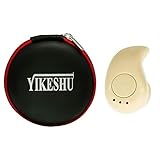
Bluetooth Earbud,Yikeshu Mini S530+ Wireless Bluetooth Stereo Earbuds Headset Earphones Support Hands-Free Calling Especially (Beige)
Mini Wireless Earbud

Iwoo Bluetooth Headphone, Blue

Homego Bluetooth Wrist Smart Watch Phone Mate Handsfree Call

GoNovate G11 Bluetooth Earbud, w/Magnetic USB Charger and 6 Hour Playtime, Mini Wireless Headset in-Ear Earphone with Mic for iPhone, Samsung Galaxy Khaki
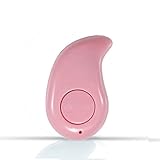
Mini Wireless Earbud

NENRENT S570 Bluetooth Earbud,Smallest Mini Invisible V4.1 Wireless Bluetooth Earpiece Headset Headphone Earphone with Mic Hands-Free Calls for iPhone iPad Samsung Galaxy LG HTC Smartphones 1pcs(Nude)
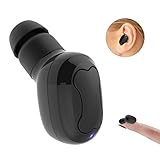
Bluetooth Earbud, Dokpav Wireless Headphone with 10 Hours Talking Time Car Headset with HD Microphone and Noise Cancellation-Single Piece (Black)