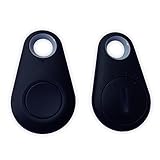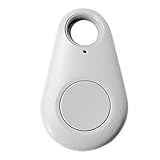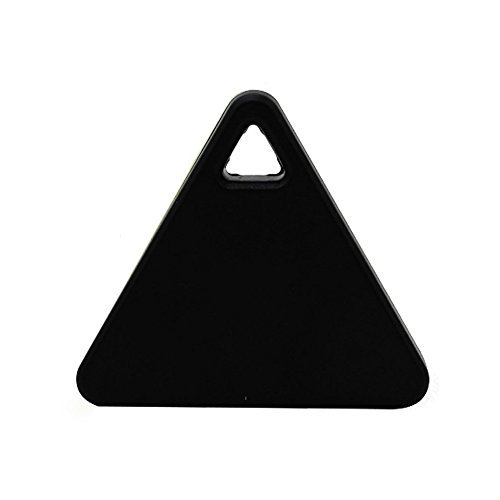
Mini Tag Tracker Bluetooth Smart Pet Child Wallet Key Finder GPS Locator Alarm
Product Description
Mini Tag Tracker Bluetooth Smart Pet Child Wallet Key Finder GPS Locator Alarm
- New Boxed Genuine Locator Tracker Clip It To Your Valuables Alerts Direct To Your Smartphone
- Our device will show you the last location of the Tracker Via Google Maps
- You can be alerted by an audible beep either through smartphone or Bluetooth Smart Tag, whenever both devices are separated at a pre-programmed distance.
- You can control 20 Bluetooth Smart Tags through "iTracing" App, and keep track of 6 Bluetooth Smart Tags online at one time.Never Loose Your Keys/Wallet/Phone
- Package Includes: 1* Bluetooth Tracker (Color Random), Attention, Need to install Battery CR2032 Lithium Coin Battery by yourself, lasts about half a year.Battery replacement:Battery is inside the back of tag, use as coin or your hand to twist it to left to open the battery cover, the replace the battery.After replacement, put the cover back in suitable position and twist it to right with your hand.
How to download APP:search APP "iSearching" in APP store (IOS system)or Google market (Android system)to download APP.<br><br>Usage mold<br>1.Switch on/off<br>Switch on:Press and hold the button for 3 seconds until you heard the Beep twice.<br>Switch off:Press and hold the button for 5 seconds until the long "Beep" sound.<br>how to connection<br>1.open the mobile bluetooth, turn on the iTGA device, enter into "cTracing "APP, click the button"searching", to find connectable iTag devices.<br>2.Click the "Connect" button to connect iTag to APP. if it shows"disconnected" on the App, please click the "Connect" button to connect it again.<br>3.Click the "Alarm"button, the key finder will "Beep" long ring, click again, alarm to stop.Click the key finder button twice, the Key finder in the APP will also alarm.<br>4.After connected successfully, silde on the left, you will see"Delete"button, you can delete the device you don't need.<br><br>Remote Camera Shutter:go back to the home page.Press the "camera" button on the top left corner. It will enter into"Selfie" Function. you can adjust the flashlight and self portrait model on the top. and then click the button on iTAG to use it as a remote camera shutter to take picture wirelessly.<br>Locating list:When you park your car, press the button on iTAG, it will show"location sucess". To marks your current location on the map.Then you can press the "Location list" to check where your car is.lost history:if the iTag is lost, A Pin-drop will be marked automatically on Map to tell you the site it was lost.you can press 'Lost history"to find the record.<br>