
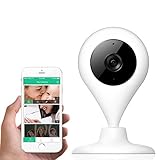
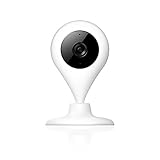
MiSafes Wireless Camera, Home Security Indoors Camera Surveillance 720P Camera with Microphone Speaker 2 Way Talk Remote Monitor Motion Alert work with iOS & Andriod smartphones (Black)
Product Description
MiSafes Wireless Camera, Home Security Indoors Camera Surveillance 720P Camera with Microphone Speaker 2 Way Talk Remote Monitor Motion Alert work with iOS & Andriod smartphones (Black)
<br>Please confirm <b>Mi-Cam</b> app or <b>Misafecam</b> app according to the instructions. <br>If the box is Mi-Cam HD, please download <b>Mi-Cam</b> app. <br>If the box is 303 Misafecam 720P, please download <b>misafecam</b> app. <br>If you download the wrong app, you will not pair successfully.<br>Any further help or questions, please contact us via: <b>[email protected]</b><br><br><b>miSafes wireless camera is a device that monitor and manage your home all day. With 2 in 1 function, it is not only a security camera/video monitoring, but also a connecting device via two-way talk with your family, friends & pets etc.</b><br><br><b>Specification: </b> <br> <br> WIFI : 2.4GHZ <br> Image Compression: H.264 <br> Display Resolution: 1280*720P HD video <br> Memory: Support SD card recording<br> <br><b>Easy Setup</b> <br> 1. Power on; <br> 2. Connect iOS or android device<b>smartphone only</b> to 2.4GHz Wi-Fi; <br> 3. Go to App Store or Google Play to download the MiCam App and register an account; <br> 4. Use unique sound wave technology to automatically fulfill setup process. <br><br><b>Trouble Shooting</b> <br> <br><b>A. Cannot connect to WIFI ?</b> <br> 1. Make sure the APP version is the latest. <br> 2. Make sure your phone version is android 4.2 or later and iOS 7.0 or later. <br> 3. Make sure your Wi-Fi is 2.4GHz not 5GHz. <br> 4. Make sure your WIFI password is correct. <br> 5. Try to reboot the camera via plug out the cord for 1 minute and re-plug in the cord. <br> 6. If above steps does not work, please reset the camera via press and hold the reset button for 5 seconds, and try again to setup. <br> <br> Please see more information from the User Guide. <br> <br><b>Warranty:</b> <br> Free MiCam or Misafecam app, no service fee to charge <br> <br><b>Package including:</b> <br> miSafes Wireless Camera*1 <br> 10ft USB Cable*1 <br> AC Power Adapter*1 <br> User Guide*1 <br> Setup tool and accessories*1
Technical Specifications
You might also like

MiSafes 1280x720p HD C303-1 Mini Wireless Surveillance Camera with Microphone Speaker with 2 Way Talk & Remote Monitoring System for iOS & Andriod App, White
—
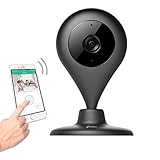
MiSafes WiFi Baby Pet Video Monitors 1280x720p Wireless Security Camera HD Remote Home Surveillance Indoor Cameras with 2 Way Audio Talk for iPhone iPad Android Samsung Sony LG (Black)
—

SanDisk Ultra 32GB microSDHC UHS-I Card with Adapter, Grey/Red, Standard Packaging (SDSQUNC-032G-GN6MA)
—
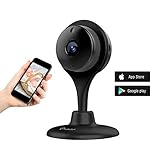
MiSafes HD 720P Day Night Vision Smart Wireless WIFI Security Camera Indoor With Two-way Audio Monitor Remote Home Office Motion Alerts Pets Baby Security Monitor iOS & Android App (314R) … (black)
—
miSafes 1080p HD Mini Smart Wireless Wifi Indoor Home Day Night Security Surveillance Nanny Camera Two-Way Audio Motion Alerts Remote View Cam Easy Bluetooth Connection 304 Black
—
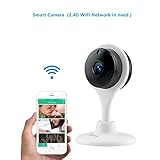
MiSafes 1080p HD Night Vision Remote Surveillance Smart Wi-Fi Security Camera with 2-way Audio for Smart phones (White)
—
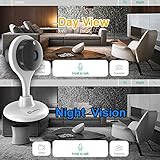
Misafes 720p HD Day Night Vision Mini Smart Wireless Wifi Indoor Home Security Surveillance Nanny Camera Two-Way Audio Motion Alerts Remote View Cam Easy Connection 304R White
—
Wireless Security Camera, MiSafes WiFi Baby Pet Video Monitors 1280x720p HD Remote Home Surveillance Indoor IP Cameras with 2 Way Audio Talk for iPhone iPad Android Samsung Sony LG (White)
—
miSafes 720p Video Baby Monitor Wireless Smart Camera Indoor Pets Nanny Cam Two-Way Talk Audio Motion APP Remote View (White)
—