
Metene Digital Kitchen Timer with Large LCD Display and Loud Alarm System

Product Description
Metene Digital Kitchen Timer with Large LCD Display and Loud Alarm System
<p><b>MAIN FEATURES</b><br> 1.LCD Digital Timer<br> 2.The 4 digit display shows Minutes and Seconds ('M' for Minutes, 'S' for Seconds)<br> 3.The timing range is from: 1 second to 99 minutes 59 seconds<br> 4.The buzzer will sound when the time counts down to zero<br> 5.Timer memory recall function<br> 6.Individual buttons: 'M' for Minutes and 'S' for Seconds<br> 7.Clock Function<br></p><p><b>SETTING TIMER</b><br> 1. Press button 'M' to set minute timer, beep will sound. Press and hold button 'M' to advance minutes quickly.<br> 2. Press button 'S' to set second timer, beep will sound. Press and hold button 'S' to advance seconds quickly.<br> 3. Press buttons 'M' and 'S' at same time to reset the timer to zero.<br></p> <p><b>TIMER START/STOP</b><br> 1.Once desired time has been set, press 'ST/SP' button once and timer will start to count down. The 'M' and 'S' signs will flash when timer is counting down.<br> 2.Press 'ST/SP' button once and the timer will stop. The 'M' and 'S' signs will stop flashing.<br> 3.Press 'ST/SP' button once more and the timer will resume counting down.<br>4.After the buzzer has stopped, press the 'ST/SP' button once and the timer will return to the last time set.<br></p><p><b>TIMER BUZZER ALARM</b><br> 1.When the timer counts down to zero, the buzzer will sound for 30 seconds.<br>2.Press any button to stop the buzzer.<br></p><p><b>CLOCK FUNCTION</b><br> Press the 'M' and 'S' buttons at the same time, when the display shows 00M00S, press the 'ST/SP' button once to switch on the clock function.<br></p><p><b>BATTERY REPLACEMENT</b><br> Open the battery compartment on the rear of the timer.Remove the old battery and replace with a new 'AAA' battery, ensure it is inserted correctly as indicated by the '+' and '-' polarity symbols.Then close the battery compartment.<br></P> <p><b>FIXING</b><br> The timer can be attached to an iron or steel surface using the magnets on the rear of the device.<br></P>
Technical Specifications
You might also like

ISSIKI Cutlery 7-Inch Stainless Steel Chopper Cleaver Butcher Knife for Home Kitchen or Restaurant, Chinese Chef Knife
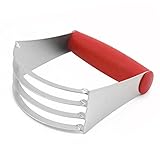
ISSIKI Kitchen Pastry Cutter Red Stainless Steel - Professional Baking Dough Blender with Blades

WILDJUE Bug Zapper Electronic Insect Killer [2 Pack] Electronic Plug Mosquito Killer Lamp,Eliminates Most Flying Pests! Night Lamp(Blue)
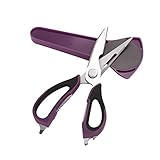
Kitchen Shears/Kitchen Scissors,7-in-1 Multifunctional Detatchable Shears,Peeler,Can Opener,Nut/Lobster Cracker with Magnetic Holder(Purple)

Intcrown Car Mount Dashboard Windshield Phone Holder Cradle for Smartphones Universal

SHINE HAI Professional Hand Pruner Bypass Pruning Shears with Safety Lock, Tree Trimmers Secateurs, Garden Shears, Clippers for the Garden
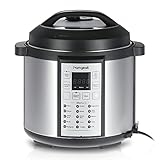
Homgeek 6Qt/1000W Professional Electrical Pressure Cooker Slow Cooker Rice Cooker Essential Household Appliances

Koolife Smooth Edge Can Opener, Professional Manual Handy Stainless Steel Can Opener with Easy Turn Knob,Black (Black)
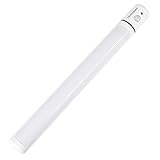
Coresmo Portable Wireless Closet Stick-on Anywhere 5-LED Motion Sensor Night Light Bar Under Cabinet Lighting Lamp (Battery Operated)

Besiva Digital Cooking Thermometers with Instant Read, Long Probe, LCD Screen, Anti-Corrosion for Food, Meat, Grill, BBQ, Milk and Water(White)