
MECCANIXITY RJ45 Dust Covers Caps, Black RJ45 Dust Plug Silicone Ethernet Port Protector Covers for Media Converters, Router, Modem, Laptops, Network Panel, Pack of 20
Product Description
MECCANIXITY RJ45 Dust Covers Caps, Black RJ45 Dust Plug Silicone Ethernet Port Protector Covers for Media Converters, Router, Modem, Laptops, Network Panel, Pack of 20
- These are soft silicone dust plugs designed specifically to protect unused RJ45 Ethernet ports. They seal the port opening against dust, dirt that can degrade connection quality over time, helping to maintain the reliability and lifespan of your networking equipment, like silicone for network switches, routers, hubs, modems, cards, computers, and copper transceiver modules
- RJ45 Dust Covers Caps; Material: Silicone; Plug Size: 7.80x11.20x6.4mm/0.31x0.44x0.25 inch(W*L*H); Total Size: 14.70x17.9mm/0.58x0.7 inch(L*H); Packing List: 20 x Black RJ45 Dust Plugs
- The dust cap protects the RJ45 port from dust, liquids, and oxidation, keeping the port contact points durable and clean to ensure a reliable, stable, and high-speed data connection. Made of silicone materials, the port dust plug is dust-proof, moisture-proof, and anti-oxidation. It is lightweight, soft, and scratch-proof. The RJ45 protector perfectly protects the port from dust and liquids, extending its lifespan. RJ45 anti-dust plugs install easily and resist falling off after installation.
- 1. Simply align the dust plug with the port opening. 2. Gently push the plug into the port until it sits flush and feels secure.3. To remove, gently pull on the plug head to extract it from the port.
- Ensure the port is clean and dry before inserting the plug for the best protection.Before purchasing, please confirm that the product model meets the installation port size requirements
Technical Specifications
You might also like

NFL Minnesota Vikings Vinyl Covered Long Neck Bottle Opener

Black Friday: And Selected Stories

All the Rage Session Saison, Beer Making Extract Kit
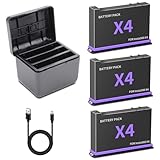
3-Pack 360 X4 Replacement Batteries for Insta360 X4 Camera 2500mAh and Triple LED USB Quick Battery Charger Hub, Replacement Battery Pack Charger for Insta 360 X4 (3 Batteries+ 3-Channel Charging Box)

Anneome 4pcs Mop Handle End Caps for Broom Handle Grip Replacement Anti-Slip and Hanging Hole

The GREAT Morning Revolution: Daily Spiritual Practices for Meaningful Moment with God (Seedbed Resources)

Travel Guide to Mexico City's Roma Condesa: Satori Guide: Mexico City Travel Guide

Special K Protein Shakes, Meal Replacement, High Protein, Gluten-Free Snacks, Milk Chocolate, 7.5lb Case (3 Cartons)