
Logitech BCC950 Desktop Video Conferencing Solution, Full HD 1080p B23 Video Calling, Hi-Definition Webcam, Speakerphone with Noise-Reducing Mic, For Skype, WebEx, Zoom PC/Mac/Laptop/Macbook - Black
Product Description
Logitech BCC950 Desktop Video Conferencing Solution, Full HD 1080p B23 Video Calling, Hi-Definition Webcam, Speakerphone with Noise-Reducing Mic, For Skype, WebEx, Zoom PC/Mac/Laptop/Macbook - Black
- All-in-one design combines HD video with high-quality audio clarity for business-grade video conferencing--Business-quality video via the Carl Zeiss lens, 1080p HD and 30 fps.
- The built-in, full duplex speakerphone and noise-cancelling microphone allows all meeting members to hear and be heard clearly up to 8 feet away from the base
- COMPATIBILITY AND INTEGRATION: Plug-and-play USB connectivity Professional-grade certifications: Optimized for Microsoft Lync 2013; Certified for Skype for Business; Cisco Jabber and WebEx compatible
- Omni-directional sound and echo cancellation audio make it seem like conversations are happening in the same room
- Quickly control the call with remote control and base button control options for camera pan, tilt and zoom, volume up/down, mute and answer/hang-up functions
- The built-in, full duplex speakerphone and noise-cancelling microphone. Allows all meeting members to hear and be heard clearly up to 8 feet away from the base.Frequency response: 200Hz – 8KHz
<div class="aplus"> <div class="leftImage" style="width: 350px;"> <div id="image0"><img src="https://images-na.ssl-images-amazon.com/images/I/31S0D57sBaL.jpg" alt="Logitech ConferenceCam BCC950"><div class="imageCaption">The first all-in-one video and audio conferencing system for small groups<br>View larger</div></div> </div> <h5><div id="header0">Logitech ConferenceCam BCC950</div></h5> <div id="text0" class="a-spacing-small"><p>Small group video conferencing has arrived everywhere. Now you can instantly transform any office or meeting space into a business-grade small group video conference room. Logitech's ConferenceCam BCC950 is the first all-in-one video and audio conferencing device designed with small groups in mind. It combines a freestanding wide-view HD webcam with an enterprise-quality speakerphone in one easy-to-use, computer-connected device. Small groups can run their own video conferences anywhere in the office, without huddling around PC webcams or competing for time on overbooked conference room systems.</p></div> <h5><div id="header1">Setting the Standard</div></h5> <div id="text1" class="a-spacing-small"><p>The award-winning ConferenceCam BCC950 is making high-quality group video conferencing more affordable and accessible to businesses of all sizes.</p></div> <h5><div id="header2"></div></h5> <div id="text2" class="a-spacing-small"></div> <div class="break"></div><br> <div class="sixth-col"> <div class="centerImage"> <div id="image1"><img src="https://images-na.ssl-images-amazon.com/images/I/210YbL3t-kL.jpg" alt="Full HD 1080P"></div> </div> </div> <div class="third-col"> <h5><div id="header3">Business-grade HD video</div></h5> <div id="text3" class="a-spacing-small"><p>Experience desktop video meetings so clear and razor sharp, you'll feel like you're face-to-face in the same room. With 1080p HD video at a smooth 30 frames per second, precision autofocus, a premium Carl Zeiss lens, and advanced auto light correction, everyone in the room can be clearly seen in professional high-quality video-even in low light or backlit conditions.</p></div> </div> <div class="sixth-col"> <div class="centerImage"> <div id="image2"><img src="https://images-na.ssl-images-amazon.com/images/I/11Df+tVuplL.jpg" alt="Professional grade speaker"><div class="imageCaption">View larger</div></div> </div> </div> <div class="third-col last"> <h5><div id="header4">Professional Speakerphone</div></h5> <div id="text4" class="a-spacing-small"><p>The built-in full duplex speakerphone&mndash;and integrated omni-directional microphone with both noise and echo cancellation-allow everyone in the group to hear and be heard clearly up to eight feet away from the ConferenceCam.</p></div> </div> <div class="break"></div> <div class="sixth-col"> <div class="centerImage"> <div id="image3"><img src="https://images-na.ssl-images-amazon.com/images/I/21GftUYh1VL.jpg" alt="Full room view"><div class="imageCaption">A wider field of view, perfect for group meetings<br>View larger</div></div> </div> </div> <div class="third-col"> <h5><div id="header5">Full-room View</div></h5> <div id="text5" class="a-spacing-small"><p>A 78-degree field of view and 180-degree video pan ensure that each member of the small group is seen in your meetings. You have far more freedom to move around the room, interact together, and show presentation materials than you would with the limited field of view of built-in computer webcams.</p></div> </div> <div class="sixth-col"> <div class="centerImage"> <div id="image4"><img src="https://images-na.ssl-images-amazon.com/images/I/11OYtIODllL.jpg" alt="easy buttons"><div class="imageCaption">Pan, tilt, zoom, and control audio with included remote<br>View larger</div></div> </div> </div> <div class="third-col last"> <h5><div id="header6">Versatile Voice & Video Control</div></h5> <div id="text6" class="a-spacing-small"><p>With the included remote control and console buttons, you can instantly pan, tilt and zoom the camera to focus on the entire team, the meeting leader, or detailed close-ups of whiteboards, documents, design layouts, and product demonstrations. Easy controls for answer/end calls, volume up/down and mute are all at your fingertips.</p></div> </div> <div class="break"></div> <div class="sixth-col"> <div class="centerImage"> <div id="image5"><img src="https://images-na.ssl-images-amazon.com/images/I/21gPWarqQYL.gif" alt="Plug and Play"></div> </div> </div> <div class="third-col"> <h5><div id="header7">Plug-and-Play Simplicity</div></h5> <div id="text7" class="a-spacing-small"><p>Unlike operating highly technical conferencing systems, the Logitech ConferenceCam is so intuitive that anyone in the office can easily setup and control video meetings. There's no software to install. Simply plug the USB cable into a PC or Mac and start the meeting using virtually any video conferencing platform.</p></div> </div> <div class="sixth-col"> <div class="centerImage"> <div id="image6"> </div> </div></div> <div class="third-col last"> <h5><div id="header8">App-friendly Compatibility</div></h5> <div id="text8" class="a-spacing-small"><p>You can immediately deploy small group video conferencing without a proprietary and expensive system to set up. ConferenceCam BCC950 works on virtually any desktop video conferencing and Unified Communications application.</p></div> </div> <div class="break"></div> </div> System Requirements: Windows 7 8.1 or 10macOS X 10.7 or higher
Technical Specifications
You might also like

Plugable 5 Meter (16 Foot) USB 2.0 Active Extension Cable Type A Male to A Female

Monoprice 15-Feet USB 2.0 A Male to A Female Extension 28/24AWG Cable (Gold Plated) (105435)
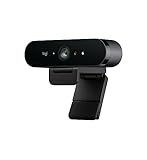
Logitech BRIO – Ultra HD Webcam for Video Conferencing, Recording, and Streaming

MXL AC404 USB Conference Microphone, BLACK
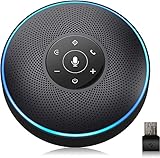
Bluetooth Speakerphone - eMeet Conference Speaker for 5-8 People Business Conference Phone 360º Voice Pickup 4 AI Microphone Self-Adaptive Conference Call Speaker Skype Speakerphone
Microsoft Surface Dock (Pd9-00003)

Meeting Owl Pro - 360 Degree, 1080p Smart Video Conference Camera, Microphone, and Speaker (Automatic Speaker Focus & Smart Meeting Room Enabled)
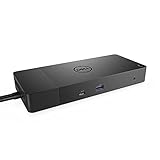
Dell WD19 180W Docking Station (130W Power Delivery) USB-C, HDMI, Dual DisplayPort, Black

Logitech Group Video Conferencing Bundle with Expansion Mics for Big Meeting Rooms
Sceptre 27" 4K UHD IPS LED Monitor up to 70Hz DIsplayPort HDMI DVI Build-in Speakers, Frameless Machine Black 2020 (U279W-4000R)