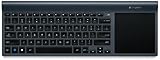
Logitech Wireless All-In-One Keyboard TK820 with Built-In Touchpad
Product Description
Logitech Wireless All-In-One Keyboard TK820 with Built-In Touchpad
- All-in-one keyboard with built-in touchpad: Type and swipe on one device for effortless computer control and navigation
- Large touch surface: Point, zoom and perform Windows 8 gestures comfortably and smoothly (also works with Windows 7)
- Sleek, space-saving design: Ultra-slim, cable-free design reduces clutter on your desk
- Perfect Stroke and Incurve keys: Experience fluid, comfortable typing with Logitech's advanced key technology
- Unifying receiver with advanced 2.4 GHz wireless: Fast, reliable wireless connection gives you the freedom to type on your desk or lap
<div class="aplus"><div class="two-third-col"><div class="leftImage"><img src="https://images-na.ssl-images-amazon.com/images/G/01/aplus/detail-page/B00DR9V1T0_TK820_BTY.jpg" alt="Logitech Wireless All-in-One Keyboard TK820 " width="280" height="226"><div class="imageCaption"><p><b>View larger</b></p></div><div class="break"></div></div><h4>Logitech Wireless All-in-One Keyboard TK820</h4><h5>Effortlessly type and swipe on one device.</h5><p>This innovative keyboard seamlessly integrates typing, touch and gestures. So now you have everything you need to control and navigate your computer in one device. With a large, built-in touch pad, you can type and swipe comfortably together. It’s a new way to navigate—especially in Windows 8.</p><div class="break"></div></div> <div class="third-col last"> <h4>Key Features</h4> <ul> <li>Keyboard with built-in touchpad</li> <li>Large touch surface supports Windows 8 gestures</li> <li>Ultra-slim, space-saving design</li> <li>Logitech advanced key technology for smooth, comfortable typing</li> <li>Robust wireless connection with tiny Unifying receiver</li> <li>Compatible with Windows 8 and Windows 7</li> </ul> </div> <div class="break"></div><div class="sixth-col"><div class="centerImage"><img src="https://images-na.ssl-images-amazon.com/images/G/01/aplus/detail-page/B00DR9V1T0_TK820_Lifestyle_closeup.jpg" alt="Keyboard with built-in touchpad" width="120" height="100"><div class="imageCaption"><b>View larger</b><div class="break"></div></div></div></div><div class="third-col"><h5>Keyboard with built-in touchpad</h5><p>The keyboard and touchpad are seamlessly integrated, so you can:</p><ul><li>Use one device for typing, touch and gestures </li><li>Switch between using the keyboard and touchpad smoothly and effortlessly</li><li>Type on the keyboard and simultaneously point, zoom and swipe on the touchpad</li></ul></div><div class="sixth-col"><div class="centerImage"><img src="https://images-na.ssl-images-amazon.com/images/G/01/aplus/detail-page/B00DR9V1T0_TK820_Lifestyle.jpg" alt="Space Saving Design" width="120" height="100"><div class="imageCaption"><b>View larger</b><div class="break"></div></div></div></div><div class="third-col last"> <h5>Wireless, space-saving design </h5><ul><li>Ultra-slim design takes up less space on your desk</li><li>Connects wirelessly to your computer, so there are no cables to get in the way </li><li>Integrated touchpad gives you simplified navigation without needing a separate mouse</li></ul></div><div class="break"></div><div class="sixth-col"><div class="centerImage"><img src="https://images-na.ssl-images-amazon.com/images/G/01/aplus/detail-page/B00DR9V1T0_TK820_TOP.jpg" alt="Large touch area with integrated click" width="120" height="100"><div class="imageCaption"><b>View larger</b><div class="break"></div></div></div></div><div class="third-col"><h5>Large touch area with integrated click</h5><p>It’s larger than a laptop touchpad, giving you more room to: </p><ul><li>Point, zoom, pinch, swipe, scroll and click more freely </li><li>Perform Windows 8 gestures comfortably and smoothly </li><li>Control your cursor more precisely</li></ul></div><div class="sixth-col"><div class="centerImage"><img src="https://images-na.ssl-images-amazon.com/images/G/01/aplus/detail-page/B00DR9V1T0_feature-5.jpg" alt="PerfectStroke key system" width="102" height="110"></div></div><div class="third-col last"><h5>PerfectStroke key system with Incurve keys</h5><p>Experience superior typing comfort thanks to Logitech’s advanced key technology:</p><ul><li>The PerfectStroke key system distributes typing pressure evenly across the key surfaces. Every keystroke feels smooth and whisper-quiet—even if you strike the edge of a key. </li><li>Incurve keys with softly rounded edges help your fingers glide across the keyboard. Typing feels fluid and comfortable, hour after hour.</li></ul></div><div class="break"></div><div class="sixth-col"><div class="centerImage"><img src="https://images-na.ssl-images-amazon.com/images/G/01/aplus/detail-page/B00DR9V1T0_TK820_ENVIRO_ANGLED.jpg" alt="Windows 8 gestures" width="120" height="100"><div class="imageCaption"><b></b><div class="break"></div></div></div></div><div class="third-col"><h5>Full range of multi-touch gestures</h5><ul><li>Touchpad supports up to 13 unique Windows 8 gestures</li><li>Use edge gestures to switch apps and bring up the Charms Bar</li><li>Return to the Start Screen with a simple three-finger swipe</li><li>See the Windows 8 gestures</li></ul></div><div class="sixth-col"><div class="centerImage"><img src="https://images-na.ssl-images-amazon.com/images/G/01/aplus/detail-page/B00DR9V1T0_unifying_receiver_laptop.gif" alt="Unifying receiver" width="120" height="100"><div class="imageCaption"><b>View larger</b></div></div></div><div class="third-col last"> <h5>Unifying receiver with advanced 2.4 GHz wireless</h5><ul><li>Robust wireless connection allows you to type with the keyboard on your desk or even on your lap</li><li>Hassle-free setup—plug the tiny Unifying receiver into your computer and start typing (no need to ever unplug it) <br>Learn More ></li><li>Fast, reliable data transmission with virtually no delays or dropouts</li></ul></div><div class="break"></div><h4>Compatibility</h4><div class="third-col"><div class="centerImage"><img src="https://images-na.ssl-images-amazon.com/images/G/01/aplus/detail-page/B00DR9V1T0_Cancun_3D.jpg" width="220" height="137" alt="Logitech Wireless All-in-One Keyboard TK820 "></div></div><div class="third-col"><h5>What's in the Box</h5><ul><li>Wireless All-in-One Keyboard </li><li>4 AA batteries (pre-installed) </li><li>USB Unifying receiver </li><li>User documentation </li></ul></div><div class="third-col last"><h5>Works with:</h5><ul><li>Windows 8, Windows 7</li><li>Computer with available USB port</li><li>Internet connection for software download</li></ul></div><div class="break"></div><h4>Compare</h4><h5>Which Logitech Wireless Keyboard Is Right For You?</h5><table class="data"><tr><td><div class="leftImage"><img src="https://images-na.ssl-images-amazon.com/images/G/01/aplus/detail-page/B00DR9V1T0_1dot.gif" alt="good"></div><p>Good</p><div class="leftImage"><img src="https://images-na.ssl-images-amazon.com/images/G/01/aplus/detail-page/B00DR9V1T0_2dots.gif" alt="better"></div><p>Better </p><div class="leftImage"><img src="https://images-na.ssl-images-amazon.com/images/G/01/aplus/detail-page/B00DR9V1T0_3dots.gif" alt="best"></div><p>Best</p></td><td><div class="centerImage"><img src="https://images-na.ssl-images-amazon.com/images/G/01/aplus/detail-page/B00DR9V1T0_chart_k360.jpg" alt="k360"></div><div class="centerImage"> <p><img src="https://images-na.ssl-images-amazon.com/images/G/01/aplus/detail-page/B00DR9V1T0_1dot.gif" alt="good"></p><p><strong>Wireless Keyboard K360</strong></p></div><div class="break"></div></td><td><div class="centerImage"><img src="https://images-na.ssl-images-amazon.com/images/G/01/aplus/detail-page/B00DR9V1T0_chart_k750.jpg" alt="k750"></div><div class="centerImage"> <p><img src="https://images-na.ssl-images-amazon.com/images/G/01/aplus/detail-page/B00DR9V1T0_2dots.gif" alt="better"></p><p> <strong>Wireless Solar Keyboard K750</strong></p></div><div class="break"></div></td><td bgcolor="#fffce9"><div class="centerImage"><img src="https://images-na.ssl-images-amazon.com/images/G/01/aplus/detail-page/B00DR9V1T0_chart_tk820.jpg" alt="k360"></div><div class="centerImage"> <p><img src="https://images-na.ssl-images-amazon.com/images/G/01/aplus/detail-page/B00DR9V1T0_3dots.gif" alt="best"></p><p><strong>All-in-One Keyboard TK820</strong></p></div><div class="break"></div></td></tr><tr><td nowrap="nowrap"><strong>What Do You Get?</strong></td><td>Stylish space-saving keyboard for a relaxed typing experience</td><td>A light-powered keyboard that charges itself whenever there’s light</td><td bgcolor="#fffce9">Built-in touchpad for typing and swiping with one device</td></tr><tr><th colspan="4" nowrap="nowrap">Connection Choices</th></tr><tr><td>USB Support</td><td><div class="centerImage"><img src="https://images-na.ssl-images-amazon.com/images/G/01/aplus/detail-page/B00DR9V1T0_check.gif" alt="yes"></div></td><td><div class="centerImage"><img src="https://images-na.ssl-images-amazon.com/images/G/01/aplus/detail-page/B00DR9V1T0_check.gif" alt="yes"></div></td><td bgcolor="#fffce9"><div class="centerImage"><img src="https://images-na.ssl-images-amazon.com/images/G/01/aplus/detail-page/B00DR9V1T0_check.gif" alt="yes"></div></td></tr><tr><td>Advanced Wireless:<br>Fast, powerful 2.4 GHz connection with 128-bit AES encryption</td><td><div class="centerImage"><img src="https://images-na.ssl-images-amazon.com/images/G/01/aplus/detail-page/B00DR9V1T0_check.gif" alt="yes"></div></td><td><div class="centerImage"><img src="https://images-na.ssl-images-amazon.com/images/G/01/aplus/detail-page/B00DR9V1T0_check.gif" alt="yes"></div></td><td bgcolor="#fffce9"><div class="centerImage"><img src="https://images-na.ssl-images-amazon.com/images/G/01/aplus/detail-page/B00DR9V1T0_check.gif" alt="yes"></div></td></tr><tr><td>Unifying Receiver:<br>Tiny wireless receiver stays in your notebook</td><td><div class="centerImage"><img src="https://images-na.ssl-images-amazon.com/images/G/01/aplus/detail-page/B00DR9V1T0_check.gif" alt="yes"></div></td><td><div class="centerImage"><img src="https://images-na.ssl-images-amazon.com/images/G/01/aplus/detail-page/B00DR9V1T0_check.gif" alt="yes"></div></td><td bgcolor="#fffce9"><div class="centerImage"><img src="https://images-na.ssl-images-amazon.com/images/G/01/aplus/detail-page/B00DR9V1T0_check.gif" alt="yes"></div></td></tr><tr><th colspan="4" nowrap="nowrap"><strong>Keyboard Design</strong></th></tr><tr><td>Keyboard Layout</td><td>Compact</td><td>Full Size</td><td bgcolor="#fffce9">Minimalist</td></tr><tr><td>Profile</td><td>Thin</td><td>Ultra-thin </td><td bgcolor="#fffce9">Ultra-thin </td></tr><tr><td>Integrated Touchpad</td><td> </td><td> </td><td bgcolor="#fffce9"><div class="centerImage"><img src="https://images-na.ssl-images-amazon.com/images/G/01/aplus/detail-page/B00DR9V1T0_check.gif" alt="yes"></div></td></tr><tr><td>Integrated Number Pad</td><td><div class="centerImage"><img src="https://images-na.ssl-images-amazon.com/images/G/01/aplus/detail-page/B00DR9V1T0_check.gif" alt="yes"></div></td><td><div class="centerImage"><img src="https://images-na.ssl-images-amazon.com/images/G/01/aplus/detail-page/B00DR9V1T0_check.gif" alt="yes"></div></td><td bgcolor="#fffce9"> </td></tr><tr><td>PerfectStroke™ Key system</td><td> </td><td><div class="centerImage"><img src="https://images-na.ssl-images-amazon.com/images/G/01/aplus/detail-page/B00DR9V1T0_check.gif" alt="yes"></div></td><td bgcolor="#fffce9"><div class="centerImage"><img src="https://images-na.ssl-images-amazon.com/images/G/01/aplus/detail-page/B00DR9V1T0_check.gif" alt="yes"></div></td></tr><tr><td>Incurve™ keys</td><td> </td><td><div class="centerImage"><img src="https://images-na.ssl-images-amazon.com/images/G/01/aplus/detail-page/B00DR9V1T0_check.gif" alt="yes"></div></td><td bgcolor="#fffce9"><div class="centerImage"><img src="https://images-na.ssl-images-amazon.com/images/G/01/aplus/detail-page/B00DR9V1T0_check.gif" alt="yes"></div></td></tr><tr><th colspan="4"> Controls</th></tr><tr><td>Windows 8 Start key</td><td><div class="centerImage"><img src="https://images-na.ssl-images-amazon.com/images/G/01/aplus/detail-page/B00DR9V1T0_check.gif" alt="yes"></div></td><td><div class="centerImage"><img src="https://images-na.ssl-images-amazon.com/images/G/01/aplus/detail-page/B00DR9V1T0_check.gif" alt="yes"></div></td><td bgcolor="#fffce9"><div class="centerImage"><img src="https://images-na.ssl-images-amazon.com/images/G/01/aplus/detail-page/B00DR9V1T0_check.gif" alt="yes"></div></td></tr><tr><td>Windows 8 Charms bar shortcuts</td><td> </td><td> </td><td bgcolor="#fffce9"><div class="centerImage"><img src="https://images-na.ssl-images-amazon.com/images/G/01/aplus/detail-page/B00DR9V1T0_check.gif" alt="yes"></div></td></tr><tr><td>Programmable F-Keys:<br>Download additional software to change or define functions</td><td><div class="centerImage"><img src="https://images-na.ssl-images-amazon.com/images/G/01/aplus/detail-page/B00DR9V1T0_check.gif" alt="yes"></div></td><td><div class="centerImage"><img src="https://images-na.ssl-images-amazon.com/images/G/01/aplus/detail-page/B00DR9V1T0_check.gif" alt="yes"></div></td><td bgcolor="#fffce9"><div class="centerImage"><img src="https://images-na.ssl-images-amazon.com/images/G/01/aplus/detail-page/B00DR9V1T0_check.gif" alt="yes"></div></td></tr><tr><td>Enhanced F-Keys: Give you additional functions on top of your F-keys</td><td><div class="centerImage"><img src="https://images-na.ssl-images-amazon.com/images/G/01/aplus/detail-page/B00DR9V1T0_check.gif" alt="yes"></div></td><td><div class="centerImage"><img src="https://images-na.ssl-images-amazon.com/images/G/01/aplus/detail-page/B00DR9V1T0_check.gif" alt="yes"></div></td><td bgcolor="#fffce9"><div class="centerImage"><img src="https://images-na.ssl-images-amazon.com/images/G/01/aplus/detail-page/B00DR9V1T0_check.gif" alt="yes"></div></td></tr><tr><td>Search Feature</td><td><div class="centerImage"><img src="https://images-na.ssl-images-amazon.com/images/G/01/aplus/detail-page/B00DR9V1T0_check.gif" alt="yes"></div></td><td><div class="centerImage"><img src="https://images-na.ssl-images-amazon.com/images/G/01/aplus/detail-page/B00DR9V1T0_check.gif" alt="yes"></div></td><td bgcolor="#fffce9"><div class="centerImage"><img src="https://images-na.ssl-images-amazon.com/images/G/01/aplus/detail-page/B00DR9V1T0_check.gif" alt="yes"></div></td></tr><tr><th colspan="4" nowrap="nowrap">System Support</th></tr><tr><td>Windows XP, Vista</td><td><div class="centerImage"><img src="https://images-na.ssl-images-amazon.com/images/G/01/aplus/detail-page/B00DR9V1T0_check.gif" alt="yes"></div></td><td><div class="centerImage"><img src="https://images-na.ssl-images-amazon.com/images/G/01/aplus/detail-page/B00DR9V1T0_check.gif" alt="yes"></div></td><td bgcolor="#fffce9"> </td></tr><tr><td>Windows 7, 8*</td><td><div class="centerImage"><img src="https://images-na.ssl-images-amazon.com/images/G/01/aplus/detail-page/B00DR9V1T0_check.gif" alt="yes"></div></td><td><div class="centerImage"><img src="https://images-na.ssl-images-amazon.com/images/G/01/aplus/detail-page/B00DR9V1T0_check.gif" alt="yes"></div></td><td bgcolor="#fffce9"><div class="centerImage"><img src="https://images-na.ssl-images-amazon.com/images/G/01/aplus/detail-page/B00DR9V1T0_check.gif" alt="yes"></div></td></tr></table><div class="imageCaption"><p><em>*Older keyboard models listed in above chart have only basic functionality on Windows RT. Software and app support aren't available for this platform. Older keyboard models listed in above chart will provide basic navigation in Windows 8 style UI. Features programmed in SetPoint software may not function in this mode.</em></p><p><em>Note: Logitech mice and keyboards are Human Interface Devices (HID). HID drivers are native to modern Windows operating systems, enabling basic functionality without the need for other software. To use enhanced features, such as programming keys and buttons, additional software may be required. See the product's Support page > Downloads tab for software availability on www.logitech.com</em></p><br></div><h4>Create The Combo That Works For You</h4><p>Logitech has a range of portable and full-size mice that you can connect via a single, tiny receiver you leave plugged in to your laptop or keyboard. Now you can create your perfect workspace, wherever you work.</p><div class="sixth-col"><div class="centerImage" ><img src="https://images-na.ssl-images-amazon.com/images/G/01/aplus/detail-page/B00DR9V1T0_crossell_performancemx.jpg" alt="Logitech Performance Mouse MX" width="76" height="70"></div><p><strong>Logitech Performance Mouse MX</strong><br>With the full-size Logitech Performance Mouse MX, you’ll have the power to achieve. You can track precisely on more surfaces—even glass tables (4 mm minimum thickness)—thanks to Logitech Darkfield Laser Tracking.</div><div class="sixth-col"><div class="centerImage" ><img src="https://images-na.ssl-images-amazon.com/images/G/01/aplus/detail-page/B00DR9V1T0_crossell_anywheremx.jpg" alt="Logitech Anywhere Mouse MX" width="72" height="70"></div><p><strong>Logitech Anywhere Mouse MX</strong><br>The portable Anywhere Mouse MX works wherever you do. Thanks to Logitech Darkfield Laser Tracking, you’ll get precise cursor control on virtually any surface, even glass tables (4 mm minimum thickness) where optical and standard laser mice fail.</div><div class="sixth-col"><div class="centerImage" ><img src="https://images-na.ssl-images-amazon.com/images/G/01/aplus/detail-page/B00DR9V1T0_crossell_m510.jpg" alt="Logitech Wireless Mouse M510" width="70" height="70"></div><p><strong>Logitech Wireless Mouse M510</strong><br>With its contoured shape, soft rubber grips and handy controls, the Logitech Wireless Mouse M510 gives you more control, so you can do more with your mouse.</p></div><div class="sixth-col"><div class="centerImage" ><img src="https://images-na.ssl-images-amazon.com/images/G/01/aplus/detail-page/B00DR9V1T0_crossell_t400.jpg" alt="B0093H4VBU" width="67" height="70" border="0" ></div><p><strong>Logitech Zone Touch Mouse T400</strong><br>Comfortable hybrid mouse for essential Windows 8 navigation with a touch zone for vertical/horizontal scrolling plus familiar left, right, and middle buttons.</p></div><div class="sixth-col"><div class="centerImage" ><img src="https://images-na.ssl-images-amazon.com/images/G/01/aplus/detail-page/B00DR9V1T0_crossell_m325.jpg" alt="Logitech Wireless Mouse M325" width="55" height="70"></div><p><strong>Logitech Wireless Mouse M325</strong><br>A better mix of precision and comfort. With its designed-for-Web scrolling, now everything you love to do online is easier.*<br></p><div class="imageCaption"><em>* Designed to improve your online experience, the wheel also helps perfect scrolling when you're using other applications, such as Microsoft Office or Adobe PDF</em></div></div><div class="sixth-col last"></div></div>