
FRANKEVER Light Bulbs, E26 A19 Smart LED Bulb, Compatible with Alexa, Google Assistant IFTTT, WiFi, No Hub Required (BR30WW, 7W, 1Pack)
Product Description
FRANKEVER Light Bulbs, E26 A19 Smart LED Bulb, Compatible with Alexa, Google Assistant IFTTT, WiFi, No Hub Required (BR30WW, 7W, 1Pack)
<br>Light Bulb LED Smart Lamp Dimmable RGB Multicolored Wide Flood<br/><br>Usage:US Standard/Free bundled with iOS/Android APP;Luminous:Lumen+/-10% :1050lm;Voltage:120V;CRI:Ra>80<br/> <br>Driver:IC;PF:>0.5;Material:PC + Aluminu zm;Lifetime:25000H<br/> <br>Situation 1:can not turn on<br/> <br>The Steps of Problem Solving:<br/> <br>a.Check the integrity of the product to ensure that the product you receive is complete and not damaged,if item damaged,contact us asap and send image to us.<br/> <br>b.please check whether device is powered on<br/> <br>Situation 2:can not connected to WiFi:<br/> <br>The Steps of Problem Solving:<br/> <br>a.please check whether phone is connected via Wi-Fi<br/> <br>b.check routers or lelated:if router is dual-band router,select 2.4-2.5G network and add device.you also need to enable router's brodingcasting function.set up wireless router:set encryption method as WPA 2-PSK and authorization type as AES,or set both as auto.wireless mode cannot be 11 n only<br/> <br>c.Router load limit:usually wireless Router can connect 10-20 devices,so please check it.<br/> <br>d.Please check the network environment is smooth<br/> <br>Situation 3:can not connected to Brigtfun App<br/> <br>The Steps of Problem Solving:<br/> <br>a.make sure that phone is connected via Wi-Fi<br/> <br>b.make sure the devices indicator and the light flashing lights quickly flashes<br/> <br>c.if the indicator flashing lights can not quickly flashes,please reset it:plug long press reset button for 5 seconds until indicator lights flashes<br/> <br>d.if the smart lights can not quickly flashes,trun off light first.swich light withe steps:swich on-off-on-off-on(time interval cannot exceed 10 seconds,flashing lights represents successful reset;if no light flashes,plesae repeat the steps above<br/>
Technical Specifications
You might also like
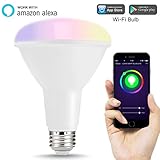
LOHAS Smart LED Bulbs, Wi-Fi BR30 Flood Light Bulb, 75W-80W Equivalent(10W), Color Ambiance Changing Lights, 1000LM Dimmable Smart Recessed Lighting for Kitchen, Compatible with Amazon Alexa

IVIEW-ISB600 Smart WiFi LED Light Bulb, Multi-color, Dimmible, No Hub Required, Free APP Remote Control, Compatible with Alexa
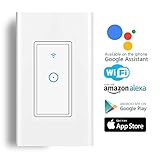
Smart Light Switch,Wi-Fi Switch In-wall Wireless Switch Compatible With Amazon Alexa,Remote Control Your Fixtures From Anywhere,Timing Function,Overload Protection,No Hub Required
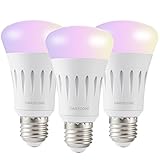
DAILYCOMB E27 Wi-Fi Smart Light Bulb, A19 LED, Dimmable Multicolor,No Hub Required, Free APP and Voice Control, Compatible with Amazon Alexa and Google Assistant(3 Pack)

LED Strip Lights Alexa Compatible Full Kit 5M 16.4ft RGB Wifi Smart Phone Wireless Control 12V 150LEDs 5050 Dimmable Work with Android, IOS APP, IR Remote Controller and Google Home (Sync with Music)

Philips Hue 2-Pack White Ambiance BR30 60W Equivalent Dimmable LED Smart Flood Light (Works with Alexa, Apple, and Google Assistant)
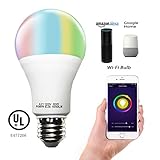
Smart A21 RGBW Tunable Warm White & Color LED Bulbs(10W), Cxy WiFi APP-Smartphone controlled LED Light Bulbs, Multicolor, Dimmable, Compatible with Alexa or Google Home , 100-Watt Equivalent.
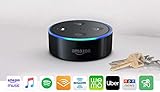
Echo Dot (2nd Generation) - Black

Echo Plus with built-in Hub – Silver + Philips Hue Bulb included

Kasa Smart Wi-Fi LED Light Bulb by TP-Link - Soft White, Dimmable, A19, No Hub Required, Works with Alexa and Google Assistant (LB100)