
Lexmark MX310dn Compact All-in One Monochrome Laser Printer, Network Ready, Scan, Copy, Duplex Printing and Professional Features
Product Description
Lexmark MX310dn Compact All-in One Monochrome Laser Printer, Network Ready, Scan, Copy, Duplex Printing and Professional Features
- Improve your print scan and copy speeds by taking advantage of 256 MB of memory and an 800 MHz dual-core processor
- Easily print up to 6000 pages per month plus enjoy fewer maintenance hassles thanks to our state of the art paper handling
- With a maximum input capacity of up to 850 sheets and a high yield toner cartridge you will not have to add paper or change cartridges as often
<div class="aplus"> <p>The network-ready Lexmark MX310dn MFP with 2-sided printing includes 256MB standard printer memory and has print, copy and scan speeds as fast as 35 ppm.</p> <div class="two-third-col"> <div class='leftImage' style='width: 300px;'> <img src='https://images-na.ssl-images-amazon.com/images/G/01/aplus/detail-page/B009SM8FBW_1a2.jpg' width='190' height='190'/><br> <div class='imageCaption'>Effortlessly print more documents with a dual-core processor</div> </div> <div class='leftImage' style='width: 300px;'> <img src='https://images-na.ssl-images-amazon.com/images/G/01/aplus/detail-page/B009SM8FBW_2a2.jpg' width='190' height='190'/> <div class='imageCaption'>Finish jobs quickly by printing up to 35 pages per minute</div> </div> <h5>Faster Processing</h5> <p>Print documents with graphics and images effortlessly with 256 MB of upgradable memory and a fast dual-core processor.</p> <h5>Reliable Performance</h5> <p>Easily print up to 6,000 pages per month, plus enjoy fewer maintenance hassles, thanks to our state-of-the-art paper handling.</p> <h5>Keep Jobs Moving</h5> <p>With a maximum input capacity of up to 850 sheets and a high yield toner cartridge, you won€t have to add paper or change cartridges as often.</p> <h5>Get Work Done Quickly</h5> <p>Enjoy print speeds up to 35 pages per minute, plus print or copy your first page in as little as 6.5 seconds.</p> <h5>High Resolution Graphics</h5> <p>With up to true 1200x1200 dpi resolution, images and graphics stay crisp. Lexmark 's Unison Toner ensures consistent quality, too.</p> </div> <div class="third-col last"> <h5>Lexmark MX310dn MFP<br> Key Features</h5> <ul> <li>Color scanning, copying, faxing, network scanning, and printing</li> <li>Print from your desktop or mobile device</li> <li>256 MB of standard memory / 256 MB maximum</li> <li>Up to 1200x1200 dpi resolution</li> <li>Print up to 35 pages per minute</li> <li>850-sheet input</li> <li>Easy-to-read color LCD display</li> </ul> <div class='leftImage'> <img src='https://images-na.ssl-images-amazon.com/images/G/01/aplus/detail-page/B009SM8FBW_3a2.jpg' width='190' height='190'/> <div class='imageCaption'>Print from a desktop<br> or mobile device</div> </div> </div> </div>
Technical Specifications
You might also like

Lexmark 60F1000 Return Program Toner
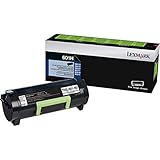
Lexmark 60F1H00 (LEX-601H) Toner, 10000 Page-Yield, Black

Lexmark 50F0Z00 Return Program Imaging Unit Toner

Lexmark MX410de Monochrome All-In One Laser Printer, Scan, Copy, Network Ready, Duplex Printing and Professional Features

Lexmark MS312dn Compact Laser Printer, Monochrome, Networking, Duplex Printing

Lexmark MX317dn Compact All-In One Monochrome Laser Printer, Network Ready, Scan, Copy, Duplex Printing and Professional Features

Print.Save.Repeat. Lexmark 601H High Yield Remanufactured Toner Cartridge for MX310, MX410, MX510, MX511, MX610, MX611 [10,000 Pages]

Lexmark MS315dn Compact Laser Printer, Monochrome, Networking, Duplex Printing

Lexmark MS810n Monochrome Laser Printer, Network Ready and Professional Features

Lexmark MS415dn Compact Laser Printer, Monochrome, Networking, Duplex Printing