
LONSUN TW64 Smart Watch Bluetooth Bracelet Call Remind Remote self-timer Smart band Calorie Counter Wireless Pedometer Sport Sleep Monitor Activity Tracker For Android IOS Phone (Blue)
Product Description
LONSUN TW64 Smart Watch Bluetooth Bracelet Call Remind Remote self-timer Smart band Calorie Counter Wireless Pedometer Sport Sleep Monitor Activity Tracker For Android IOS Phone (Blue)
- Please NOTE This wireless smart sports watch is the one must be used with Mobile phone and dedicated APP. then the Bracelet can Sync your smart phone clock and date
- Function description: Step counts, Distance measuring, Calorie Consumption management, Sleep management, Event trigger (water drinking, taking medicine, meeting etc), call reminder, clock, sedentary reminder, anti- lost (positive and negative direction lookup), remote camera, vibration alarm clock.
- Love life walking from now on: TW64 will record your step,distance and calorie,which can help you to set the target. resistance and waterproof.
- Bluetooth 4.0 : For Android / Iphone Smartphones, it can support all the function in the description. Compatible with: Android 4.4 or above, IOS 7.1 or above (such as iPhone 4S, iPhone 5, 5C, 5S, 6, 6+,7,7+)
- When you put your hand at 90 degree, the lcd will light automatically
<br>Functions Instruction: <br> <br>Screen: Sync your smart phone with OLED Digital time displayed. <br> <br>Standby time : Normally use fora week , standby for 3mouths. <br> <br>Activities Record: Record daily activities, you could check daily activities including steps,distance and calorie. <br> <br>Consumption in the app: Distance and calorie consumption in the app. (VeryFit 2.0) <br> <br>Sleep Monitoring:Device could automatically recognize your status and monitoring the whole <br><br>sleep progress with analyzing the deep sleep and light sleep hours. <br> <br>Anti-Lost Remind:When the smart phone is beyond the Bluetooth range (no more than 5m), the device vibrates to remind. <br> <br>Remote Camera Control: Device key could control remote photograph shooting. <br> <br>Smart reminder: <br> <br>In-call reminder,sedentary reminder,drinking reminder,wake up alarm etc. When incoming call sure not answered in certain time; <br> <br>The smart wristband will remind you by vibration .When new message arrived.In that case you won't miss any timely message; <br> <br>Setting reminder of drinking,taking medicines , meeting, sitting for too long or other customized alarm. <br> <br>A: Use Bracelet Steps: <br> <br>1. Charge the bracelet to activate it; <br> <br>2. Download the APP "Veryfit 2.0" from Apple Store or Google Play; <br> <br>3. Open the APP search your bracelet name, and connect. If not found, please refresh several times (note: within 0.5 meters from the phone); <br> <br>4. The connection is successful. <br> <br>B: If you use the process, suddenly one day cannot connect the phone what do you do? <br><br> Please follow the steps below:Veryfit2.0 → User → System Setting → Restart Device → Confirm> Reboot. <br> <br> Package Content: <br> <br> 1 x Smart watch<br> <br> 1 x Charging Cable<br> <br> 1 x User manual<br> <br> 1 x Packing box<br>
Technical Specifications
You might also like

Activity Tracker,Gajozon Fitness Tracker Smart Watch Smart Band Wireless Bluetooth Sleep Monitor Wristband Running Pedometer Exercise for Android 4.3 IOS 7.0 (Black)
—
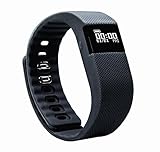
Activity Tracker,NewYouDirect Fitness Tracker Smart Watch Smart Band Wireless Bluetooth Sleep Monitor Wristband Running Pedometer Exercise for Android 4.3 IOS 7.0
—