
KEYESTUDIO Leonardo R3 Microcontroller Development Board with USB Cable Kit for Arduino Project
Product Description
KEYESTUDIO Leonardo R3 Microcontroller Development Board with USB Cable Kit for Arduino Project
- Please NOTE: Open the Arduino IDE, you’ll need to click the “Tools”, then select the Board that corresponds to your Arduino. If you don't choose the correct development board type, it will cause the compilation to fail to transfer. So this is a place that needs special attention.
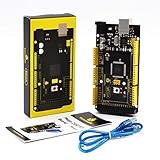
- The keyestudio Leonardo is a microcontroller board based on the ATmega32u4,It has 20 digital input/output pins (of which 7 can be used as PWM outputs), 12 analog inputs, a 16 MHz crystal oscillator, a micro USB connection, a power jack, an ICSP header, and a reset button.
- The Leonardo differs from other boards using separate USB-Serial chip in that the ATmega32u4 has built-in USB communication, eliminating the need for a secondary processor.
- This allows the Leonardo to appear to a connected computer as a mouse and keyboard.
- Has fcc and ce certification that they are made from environmentally friendly production technology and materials, made function,voltage, current testing before packaging
<b>Specification</b><br> Controller: ATmega32u4<br> Working frequency: 16 MHz<br> Working voltage: 5V<br> Input voltage (recommended): 7-12v<br> Digital I/O port: 23<br> PWM channel: 7<br> Analog input: 12<br> Maximum allowable current of 5V digital/analog port: 40 mA<br> Maximum allowable current of 3.3V digital/analog port: 50 mA<br> Flash Memory: 32 KB (ATmega32u4) of which 4 KB used by boot loader<br> SRAM: 2.5 KB (ATmega32u4)<br> EEPROM: 1 KB (ATmega32u4)<br> <br> <b>Other related instructions</b><br> Digital IO port: 23 (D0 - D13, D14-MISO, D15-SCK, D16-MOSI, D18-23 [A0-A5])<br> Analog input: 12 (A0 - A5, D4 - A6, D6 - A7, D8 - A8, D9 - A9, D10 - A10, D12-A11)<br> Serial communication: D0 (RX) and D1 (TX)<br> IIC communication: D2 (SDA) and D3 (SCL)<br> External interrupt: D3 (interrupt 0), D2 (interrupt 1), D0 (interrupt 2), D1 (interrupt 3) and D7 (interrupt 4)<br> PWM port: D3, D5, D6, D9, D10, D11 and D13<br> SPI: ICSP pins.Support SPI communication by using the SPI library. It is important to note that SPI pins do not connect to any number I/O pins like UNO, they can only work on the ICSP port.This <br>means that if your expansion board has no ICSP pin connected to the 6 feet, it will not work.<br> LED: 13. There is a built-in LED on the digital pin 13. When the pins are high level, LED is bright;when the pins are low level,the LED is not bright.<br> <br> <b>List:</b><br> 1 x keyestudio Leonardo R3 Development Board <br> 1 x Usb Cable<br>
Technical Specifications
You might also like

Premium Transparent Case for ARDUINO Leonardo RoHS Compliant
KEYESTUDIO Mega 2560 R3 Board for Arduino Projects with USB Cable

Arduino Leonardo with HEADERS [A000057]

HiLetgo 3pcs Pro Micro Atmega32U4 5V 16MHz Bootloadered IDE Micro USB Pro Micro Development Board Microcontroller Compatible to Arduino Pro Micro Serial Connection with Pin Header

OSOYOO Pro Micro ATmega32U4 5V/16MHz Module Board with 2 Row pin Header for arduino Leonardo Replace ATmega328 Pro Mini

Elegoo EL-CP-004 120pcs Multicolored Dupont Wire 40pin Male to Female, 40pin Male to Male, 40pin Female to Female Breadboard Jumper Wires Ribbon Cables Kit for arduino

Aideepen Proto Screw Shield Assembled Terminal Point Prototype Expansion Board Opening Source Reset Button PCB Bareboard D13 Universal LED for Arduino

KEYESTUDIO Nano CH340 V3.0 Development Board for Arduino Projects with USB Cable

ELEGOO UNO R3 Board ATmega328P ATMEGA16U2 with USB Cable Compatible with Arduino IDE Projects, RoHS Compliant

Signswise 600p/r Incremental Rotary Encoder Dc5-24v Wide Voltage Power Supply 6mm Shaft