
JOMARTO Smart WiFi LED Light Bulb, 2 Pack Compatible with Alexa/Google Home, 60W Equivalent Color Changing Multicolor Dimmable Light Bulb 900LM Remote Control No Hub Required (9W E26)
Product Description
JOMARTO Smart WiFi LED Light Bulb, 2 Pack Compatible with Alexa/Google Home, 60W Equivalent Color Changing Multicolor Dimmable Light Bulb 900LM Remote Control No Hub Required (9W E26)
- 【Remote Control】When not at home, you can also control your home's lighting device with your phone via "Smart Life"APP. Set schedule for your smart bulb, like turn on on specific time at night, giving others a false appearance that the house host were at home. You can also control a group of bulbs with just one command. (Note: The APP only supports 2.4 GHz Wifi router)
- 【Voice Control, Hands Free】This led smart bulb is compatible with Alexa and Google Home smart things, through which you can turn on/off or dim/brighten it with just a voice command. There is no need to get up to turn off lighting devices in chilly winter.
- 【Make Home Colorful】E26 dimmable LED smart light bulb. Design with 16 millions colors and 8 scene modes, this bulb not only can be used as a common soft white light bulb for daily life, but also it can be used to decorate your home more colorful when you are going to hold a home party, greatly suiting your mood.
- 【Energy Saving & Long Life Span】With LED technology, the smart bulb is able to save up 80% energy consumption compared to original bulbs, helping you save your energy bill on lighting system. Long life span ensures a longer service time and reduces replacing times.
- 【Wide Usage & Warranty】The bulb can be used on anywhere you want to create a colorful lighting atmosphere such as home, bedroom, bar, cafe, home party, holiday celebration, restaurant, etc. The bulb is covered by 12-month warranty. If you have any questions or concerns, please feel free to contact us.
Specifications:<br> Input Voltage: AC 110-240V<br> Power: 9 Watts<br> Color Temperature: 2700-6500K RGBW<br> Working Temp: -20~60℃ (-4 °F ~ 140 °F)<br> Luminous Flux: 900 Lumens<br> Socket Type: E26<br> WiFi Type: 2.4 Ghz Only<br> <br> Main Features:<br> Remote Control & Voice Control<br> Timer Function & Schedule Setting<br> Dimmable & Million Colors Changing<br> 8 Scene Modes<br> Energy Saving & Long Life Span<br> Group Control & Wide Usage<br> 2700-6500K Color Temperature<br> remote control<br> set schedule<br> devices sharing<br> <br> Remote Control on APP<br> Still worry about your house safety when on business and there is nobody at home? Don't worry. Equipped with WiFi smart bulb, you can easily turn it on and off on phone APP or preset timer or schedule, give others a false appearance that you are at home when not at home.<br> <br><br> Download "Smart Life" APP on APP Store/Google Play, or scan the QR code on the manual.<br> Plug the bulb into lighting devices.<br> <br><br>Turn on-off-on-off-on the bulb for several times until it starts flashing.<br> <br><br>Connect the bulb to the APP(Note:Only supports 2.4 GHz router)<br> <br><br>Done!<br> <br> Connect to Alexa<br> <br><br>Log in Alexa App, choose Skills, and search "Smart Life". <br><br>Select "Smart life" in the search results, and then click the Enable skill.<br> <br><br>If account has been bound, click on Disable Skill and click on Enable to bind a new account.<br> <br><br>Input your account registered for Smart Life App.<br> <br> <br> Tips on Connection:<br> <br><br>Please make sure that your Wifi router is 2.4GHz only before trying to connect.<br> <br><br>Please assign a shorter name for the bulb, which is better to be recognized by Alexa or Google Assistant.<br> <br> Package Included:<br> <br><br>2 x E26 WiFi Smart Light Bulb<br> <br><br>1 x User Manual<br>
Technical Specifications
You might also like
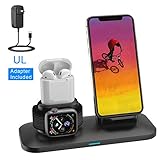
Wireless Charger, 3 in 1 Wireless Charging Stand for Apple Watch and iPhone Airpods, Wireless Charging Station Apple Watch Charger for iPhone X/XS/XR/Xs Max/8/8 Plus Apple Watch 4 3 2 1 Airpods 1 2
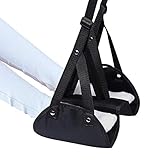
Airplane Footrest-Portable Adjustable Height and Hammock Separated Design-Prevents Swelling and Soreness on Flights -Provides Relaxation and Comfort for Long Travel
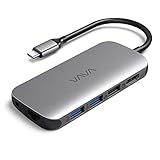
VAVA USB C Hub 8-in-1 Adapter with PD Power Delivery, 4K USB C to HDMI, 3 USB 3.0 Ports, 1Gbps Ethernet Port, SD/TF Cards Reader for MacBook/Pro/Air(2018) and Type C Windows Laptops

Afloia Electric Home Dehumidifier, Portable Dehumidifier for Home Bedroom 700ml (24fl.oz) Capacity up to (215 sq ft)