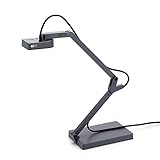
Ipevo 5-866-1-08-00 IS-01 Portable Interactive Whiteboard System
Product Description
Ipevo 5-866-1-08-00 IS-01 Portable Interactive Whiteboard System
- Turn your existing whiteboard or projector surface into an interactive whiteboard
- Easy setup and calibration in less than 5 minutes
- Use the Interactive Pen as a Computer Cursor
- Annotate your text and images with free IPEVO Annotator Software on PC or Mac
- Works with IPEVO Doc Cam to enhance teaching
- Lightweight, compact and portable for teacher or classroom changes
- NOTE: IS-01 requires a computer and projector, which are not included
<div class="aplus"> <div class="leftImage" style="width: 350px;"> <div id="image0"><img src="https://images-na.ssl-images-amazon.com/images/I/31wQ9V33ynL.jpg" alt="Draw, Annotate, Interact, Inspire"><div class="imageCaption">Draw, Annotate, Interact, Inspire<br>View larger</div></div> </div> <h5><div id="header0">Draw, Annotate, Interact, Inspire</div></h5> <div id="text0" class="a-spacing-small"><p>No whiteboard? No problem. The IPEVO Interactive Whiteboard System, or IS-01, transforms most any flat surface into an interactive whiteboard. Pair IS-01 with a computer and projector, and in just a few simple steps you can draw and annotate on a projected "board" large enough for the entire class €" up to 100"! Your drawings, gestures and highlights will all appear on the live image in real time. IS-01 is even compatible with a wide variety of software programs, meaning you'll be able to control what's on screen, just as if you were at the computer. With its teacher-friendly operation and ease of use, IS-01 is sure to become a favorite in your classroom.</p></div> <h5><div id="header1">How Does IS-01 Work?</div></h5> <div id="text1" class="a-spacing-small"><p>IS-01 is made up of two devices: the Sensor Cam and the Interactive Pen. The Sensor Cam detects the physical location of the Pen and sends this information to your computer, which then translates the Pen€s motion into cursor motion. Wherever you move the Pen, the computer will move its cursor in real time. You can also perform mouse clicks and drags with the Pen.</p></div> <h5><div id="header2">Turn your Existing Whiteboard Into An Interactive Whiteboard</div></h5> <div id="text2" class="a-spacing-small"><p>Because the Sensor Cam simply tracks the position of the Pen, you can use your existing whiteboard or projector surface to teach, share and present in a dynamic, multimedia way. If you have a projected image that fits the customizable 40" - 100" board area, you have an interactive whiteboard with IS-01. Please note: A soft projector screen is not recommended, as the shifting surface may affect pen trace and result in inaccurate operation.</p></div> <div class="break"></div><br> <div class="sixth-col"> <div class="centerImage"> <div id="image1"><img src="https://images-na.ssl-images-amazon.com/images/I/11+3awc0U6L.jpg" alt="Calibrate the Board"><div class="imageCaption">Calibrate the Board<br>View larger</div></div> </div> </div> <div class="third-col"> <h5><div id="header3">Get Started in Minutes with Easy Calibration</div></h5> <div id="text3" class="a-spacing-small"><p>Install the included software, plug the Sensor Cam in and spend less than a minute calibrating the board for accuracy. That's all there is to it, and that's also why IS-01 is so easy to swap between rooms.</p></div> </div> <div class="sixth-col"> <div class="centerImage"> <div id="image2"><img src="https://images-na.ssl-images-amazon.com/images/I/11ZvPvQwloL.jpg" alt="Use the Interactive Pen to Annotate or Draw"><div class="imageCaption">Use the Interactive Pen to Annotate or Draw<br>View larger</div></div> </div> </div> <div class="third-col last"> <h5><div id="header4">Two Ways to Enhance Your Teaching</div></h5> <div id="text4" class="a-spacing-small"><p>Use the Interactive Pen like a computer cursor to intuitively control applications just as you would with a mouse. Or, pair the Interactive Pen with an annotator program (like the free IPEVO Annotator) to draw and annotate directly on your image in order to add emphasis and clarify lessons.</p></div> </div> <div class="break"></div> <div class="sixth-col"> <div class="centerImage"> <div id="image3"><img src="https://images-na.ssl-images-amazon.com/images/I/21RpuTuVjCL.jpg" alt="Combine Annotator with any other application"><div class="imageCaption">Combine Annotator with any other application<br>View larger</div></div> </div> </div> <div class="third-col"> <h5><div id="header5">Invigorate Your Lessons with IPEVO Annotator</div></h5> <div id="text5" class="a-spacing-small"><p>The included IPEVO Annotator software can be used in combination with any other application. Draw, write and annotate onto images on the screen using an intuitive drawing toolkit. Or, create a blank whiteboard to turn your projector screen into a true interactive whiteboard.</p></div> </div> <div class="sixth-col"> <div class="centerImage"> <div id="image4"><img src="https://images-na.ssl-images-amazon.com/images/I/21BfoOmOkqL.jpg" alt="Enrich the Experience with Real-Time Doc Cam Video"><div class="imageCaption">Enrich the Experience with Real-Time Doc Cam Video<br>View larger</div></div> </div> </div> <div class="third-col last"> <h5><div id="header6">Enrich the Experience with Real-Time Doc Cam Video</div></h5> <div id="text6" class="a-spacing-small"><p>One of our popular and affordable USB document cameras, like the Point 2 View or Ziggi-HD, is a perfect companion to IS-01. Capture real-time video for documents, textbooks, artwork, 3D objects, handwritten notes, math equations, or anything else. Then take the interactive presentation even further by annotating over the image with the IS-01 system.</p></div> </div> <div class="break"></div> <div class="sixth-col"> <div class="centerImage"> <div id="image5"><img src="https://images-na.ssl-images-amazon.com/images/I/1180WBswcrL.jpg" alt="Everything fits into a small pencil case"><div class="imageCaption">Everything fits into a small pencil case<br>View larger</div></div> </div> </div> <div class="third-col"> <h5><div id="header7">Small, Lightweight and Extremely Portable</div></h5> <div id="text7" class="a-spacing-small"><p>The two-piece IS-01 system is small enough to be transported between classrooms, shared between teachers, or even slipped into a pencil case for remote seminars and presentations. Introducing the portable IS-01 into a new environment is a breeze, and a new setup can be accomplished in minutes.</p></div> </div> <div class="sixth-col"> <div class="centerImage"> <div id="image6"><img src="https://images-na.ssl-images-amazon.com/images/I/11si5NG7OoL.jpg" alt="Sticker included for ceiling-mounted projectors"><div class="imageCaption">Sticker included for ceiling-mounted projectors<br>View larger</div></div> </div> </div> <div class="third-col last"> <h5><div id="header8">Three postitions are available for the IS-01's Sensor Cam</div></h5> <div id="text8" class="a-spacing-small"><p>Mount the Sensor Cam anywhere with a clean line of sight to the screen. You can place the Sensor Cam on a table or other flat surface, or you can affix it to your ceiling-mounted projector with an included sticker. Or, mount the Sensor Cam to a standard tripod thanks to a built-in tripod mount.</p></div> </div> <div class="break"></div> </div>