
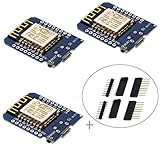
HiLetgo 3pcs ESP32 mini ESP-32 Development Board WLAN WiFi Bluetooth IoT Development Board

Product Description
HiLetgo 3pcs ESP32 mini ESP-32 Development Board WLAN WiFi Bluetooth IoT Development Board
- ESP32 Mini development board, everything needed to program the ESP32 module, ESP32/32S WIFI Development Bluetooth ESP8266 Module CP2104 for Arduino IDE.
- Power supply voltage: DC 5V (USB)
- Input/Output voltage: DC 3.3V
- I/O Pins: 34
- SRAM: 520KB External Flash
<b>Features:</b><br> 11 digital input / output pins, all pins with interrupt / PWM / I2C / support 1 line (except D0)<br> 1 analog input(3.2V max input)<br> Micro USB connection; Compatible with Arduino<br> 1MB Flash<br> 500mA resettable fuse<br> A Micro USB connection<br> Board Size: 3.4x2.5cm/1.34x0.98inch. <br><br> <b>Tips:</b><br> * For the pin layout, Google "Wemos mini NodeMcu". For example D5 is equivalent to GPIO 14.<br> * Solder properly. Use a LED to test if it will lit.<br> <b>Pros:</b><br> * Smaller form than the standard NodeMcu<br> * 4Mb flash memory<br> * Solid build<br> * Usb power works<br> * Works well with Micropython firmware<br> * The Nodemcu/Lua firmware also works fine<br> <b>Steps for usage:</b><br> * Download the Arduino IDE from the arduino.cc site at en/Main/Software.<br> * I found an OSX driver for the board at github.com on "adrianmihalko" 's page. You will want the files under the ch340g-ch34g-ch34x-mac-os-x-driver repository.<br> * Once both of these are installed open up the Arduino IDE.<br> * Go into the preferences and add the url as stated in the product description above (sorry can't post the url here).<br> * In the "Board Manager" search for and install the latest version of the "esp8266" generic module.<br> * Select the new "Port" added by the driver: (mine was "/dev/cu.wchusbserial14120").<br> * Set the "Reset Method" to: nodemcu.<br> * All done!<br><br> <b>You'd better to write a simple "blink" sketch and upload it to your board to see it work.</b><br> <b>The LED pin on this board is "2".</b><br><br> <b>Package Including:</b><br> 2* D1 Mini Development Board<br>
Technical Specifications
You might also like

HiLetgo 3pcs 5V D1 mini Relay Shield 5V D1 mini Relay Module for WeMos D1

Gowoops 2 PCS DHT22 Temperature Humidity Sensor Module Digital Measurement for Arduino Raspberry Pi 2 3

IZOKEE D1 Mini NodeMcu Lua 4M Bytes WLAN WIFI Internet Development Board Base on ESP8266 ESP-12F for Arduino, 100% Compatible with WeMos D1 Mini (Pack of 5) ...

HiLetgo 2pcs ESP8266 NodeMCU LUA CP2102 ESP-12E Internet WiFi Development Board Open Source Serial Wireless Module Works Great with Arduino IDE/Micropython (Pack of 2PCS)

HiLetgo 2pcs DHT22/AM2302 Digital Temperature And Humidity Sensor Module Temperature Humidity Monitor Sensor Replace SHT11 SHT15 for Arduino Electronic Practice DIY

JANSANE SCT-013-030 30A Non-invasive AC Current Sensor Split-Core Current Transformer for Arduino Raspberry pi

Makerfocus D1 Mini NodeMcu 4M Bytes Lua WiFi Development Board Base on ESP8266 ESP-12F N Compatible NodeMcu Arduino
IZOKEE D1 Mini NodeMcu Lua 4M Bytes WLAN WiFi Internet Development Board Base on ESP8266 ESP-12F for Arduino, 100% Compatible with WeMos D1 Mini (Pack of 3)

Diymore 2pcs WeMos D1 Mini ESP8266 Development Board Relay Shield for Arduino

Onyehn IR Pyroelectric Infrared PIR Motion Sensor Detector Modules DC 2.7 to 12V(Pack of 2pcs)