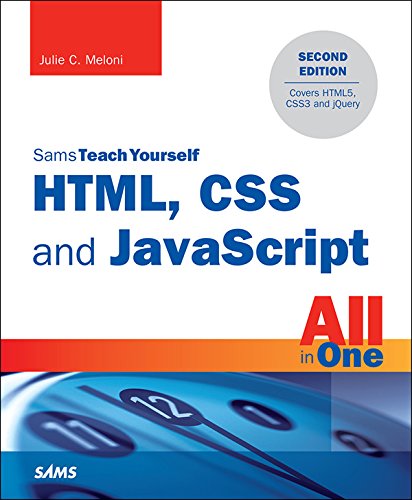
HTML, CSS and JavaScript All in One, Sams Teach Yourself: Covering HTML5, CSS3, and jQuery
Product Description
HTML, CSS and JavaScript All in One, Sams Teach Yourself: Covering HTML5, CSS3, and jQuery
<div>In just a short time, you can learn how to use HTML5, Cascading Style Sheets (CSS3), and JavaScript together to design, create, and maintain world-class websites.</div> <div> <br /> </div> <div>Using a straightforward, step-by-step approach, each lesson in this book builds on the previous ones, enabling you to learn the essentials from the ground up.</div> <div> <br /> </div> <div>Clear instructions and practical, hands-on examples show you how to use HTML to create the framework of your website, design your site's layout and typography with CSS, and then add interactivity with JavaScript and jQuery.</div> <div> <ul> <li>Step-by-step instructions carefully walk you through the most common web development tasks</li> <li>Practical, hands-on examples show you how to apply what you learn</li> <li>Quizzes and exercises help you test your knowledge and stretch your skills</li> </ul> </div> <div> <b>Learn how to...</b> </div> <div> <ul> <li>Build your own web page and get it online in an instant</li> <li>Format text for maximum clarity and readability</li> <li>Create links to other pages and to other sites</li> <li>Add graphics, color, and visual pizzazz to your web pages</li> <li>Work with transparent images and background graphics</li> <li>Design your site’s layout and typography using CSS</li> <li>Get user input with web-based forms</li> <li>Use JavaScript to build dynamic, interactive web pages</li> <li>Add AJAX effects to your web pages</li> <li>Leverage JavaScript libraries such as jQuery</li> <li>Make your site easy to maintain and update as it grows</li> </ul> </div> <div> <b>Contents at a Glance</b> </div> <div> <br /> </div> <div> <b>Part I Getting Started on the Web</b> </div> <div>1 Understanding How the Web Works</div> <div>2 Structuring an HTML Document</div> <div>3 Understanding Cascading Style Sheets</div> <div>4 Understanding JavaScript</div> <div>5 Validating and Debugging Your Code</div> <div> <br /> </div> <div> <b>Part II Building Blocks of Practical Web Design</b> </div> <div>6 Working with Fonts, Text Blocks, Lists, and Tables</div> <div>7 Using External and Internal Links</div> <div>8 Working with Colors, Images, and Multimedia</div> <div> <br /> </div> <div> <b>Part III Advanced Web Page Design with CSS</b> </div> <div>9 Working with Margins, Padding, Alignment, and Floating</div> <div>10 Understanding the CSS Box Model and Positioning</div> <div>11 Using CSS to Do More with Lists, Text, and Navigation</div> <div>12 Creating Fixed or Liquid Layouts</div> <div> <br /> </div> <div> <b>Part IV Getting Started with Dynamic Sites</b> </div> <div>13 Understanding Dynamic Websites and HTML5 Applications</div> <div>14 Getting Started with JavaScript Programming</div> <div>15 Working with the Document Object Model (DOM)</div> <div>16 Using JavaScript Variables, Strings, and Arrays</div> <div>17 Using JavaScript Functions and Objects</div> <div>18 Controlling Flow with Conditions and Loops</div> <div>19 Responding to Events</div> <div>20 Using Windows</div> <div> <br /> </div> <div> <b>Part V Advanced JavaScript Programming</b> </div> <div>21 JavaScript Best Practices</div> <div>22 Using Third-Party JavaScript Libraries and Frameworks</div> <div>23 A Closer Look at jQuery</div> <div>24 First Steps Toward Creating Rich Interactions with jQuery UI</div> <div>25 AJAX: Remote Scripting</div> <div> <br /> </div> <div> <b>Part VI Advanced Website Functionality and Management</b> </div> <div>26 Working with Web-Based Forms</div> <div>27 Organizing and Managing a Website</div>
Technical Specifications
You might also like
A Smarter Way to Learn HTML & CSS: Learn it faster. Remember it longer.

A Smarter Way to Learn jQuery: Learn it faster. Remember it longer.
CSS (with HTML5): Learn CSS in One Day and Learn It Well. CSS for Beginners with Hands-on Project. Includes HTML5. (Learn Coding Fast with Hands-On Project Book 2)

Bootstrap in 24 Hours, Sams Teach Yourself
A Smarter Way to Learn JavaScript: The new approach that uses technology to cut your effort in half

CSS: The Missing Manual
Learning PHP, MySQL & JavaScript: With jQuery, CSS & HTML5 (Learning Php, Mysql, Javascript, Css & Html5)

Python (2nd Edition): Learn Python in One Day and Learn It Well. Python for Beginners with Hands-on Project. (Learn Coding Fast with Hands-On Project Book 1)

Linux Pocket Guide: Essential Commands