
iafer Remote Compatible with GoPro HERO6 Black, HERO5 Black, HERO5 Session, Hero 4 Black, HERO4 Silver, HERO5 Session, Hero+ LCD, Hero+, WiFi Waterproof Remote Control with Charing Cable Wrist Strap

Product Description
iafer Remote Compatible with GoPro HERO6 Black, HERO5 Black, HERO5 Session, Hero 4 Black, HERO4 Silver, HERO5 Session, Hero+ LCD, Hero+, WiFi Waterproof Remote Control with Charing Cable Wrist Strap
<p><b>Specification:</b></p> <p>Dimensions: 6.2x3.7x2cm</p><p>Indicators: 2</p> <p>Interface: 1x4pin magnetic port</p> <p>Input: 5VBattery capacity: 350mAh</p> <p>Working time: 3hrs</p> <p>Control distance: 100m</p> <p> Frequency: 2.4GHzProtocols: IEEE 802.11 b/g/n</p> <p>Operating temperature: -10 - 45℃Waterproof:IP67</p> <p>Controls up to 6 cameras at the same time</p> <p>Customizable button: Login IP address http://gore.local, which supports favorite mode quick setup</p><p>Upgradable firmware: Login IP address http://gore.local, which supports wireless firmware update to get new features or match future models</p> <p><b>Compatible with:</b></p> <p>GoPro Hero5 Session, Hero4 Silver, Hero4 Black, Hero3+, Hero Session</p> <p><b>FAQ:</b></p> <p>Q:How to pair your Remote and Gopro?</p> <p>A:Ensure the both camera and remote are powered on.according to the Gopro user manual set your Gopro into "WI-FI RC"pairing mode,both of devices will begins pairing automatically.A checked box apprears on the Gopro screen once the devices are paired,blue light normally on.</p> <p>Q:How to update the Firmware?</p> <p>A:1.Press and hold Star button for 4 seconds,blue/red/green/light on right side at same time,enter setting mode.</p> <p>2.Search Wi-Fi signal "HERO-RC-XXXXXX"on the phone or PC,connect.</p> <p>3.Go to Browser,get into http://10.71.79.1 or http://gore.local.</p> <p>4.When there's available update,click "update firmware".</p> <p>5.Choose corresponding bin file,click "update",updating complete automatically and remote control will reboot.</p> <p><b>Package Includes:</b></p> <p>1 x Remote</p> <p>1 x Arm Band</p> <p>1 x Magnetic Charging Cable</p> <p>1 x User Manual</p>
Technical Specifications
You might also like
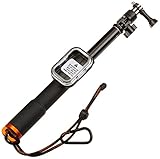
AmazonBasics Extending Stick with Remote Housing for GoPro

SANDMARC Pole - Black Edition: 17-40” Waterproof Extension Pole (Selfie Stick) for GoPro Hero 7, Hero 6, Fusion, Hero 5, 4, Session, 3+, 3, 2, & HD Cameras - with Remote Clip (Mount)

SanDisk Extreme 64GB microSDXC UHS-I Card with Adapter - SDSQXVF-064G-GN6MA

Transparent Float Selfie Pole Extendable Floating Monopod Handheld Cameras Selfie Stick for GoPro, 15-25 Inch
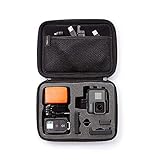
AmazonBasics Carrying Case for GoPro - Small
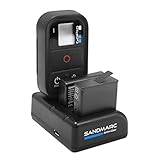
SANDMARC Procharge: Triple Charger for GoPro Hero 7, Hero 6, Hero 5, 4 and Smart (WiFi) Remote
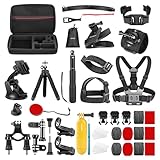
Neewer 50-In-1 Accessory Kit for GoPro Hero 7 6 5 4 3+ 3 2 1 Hero Session 5 Black AKASO EK7000 Apeman SJ4000 5000 6000 DBPOWER AKASO VicTsing WiMiUS Rollei QUMOX Lightdow Campark and Sony Sports DV
[2-Pack] Camera Lens Cap for Gopro Hero 4 Session & 5 Session,Hapurs Sports Camera Accessories Lens Protective Case Protect Housing Lens Cover ONLY for Gopro Hero 4 Session 5 Session

CamKix Replacement Waterproof Telescopic Pole Floating Hand Grip - Compatible Gopro Hero

GoPro HERO5 Black — Waterproof Digital Action Camera for Travel with Touch Screen 4K HD Video 12MP Photos