
GOLDFOX SD Card Camera Reader for iPhone iPad (Upgraded Support iOS 9.2 or up) Trail Game Camera Card Viewer Reader for iPhone 6/6s/6s Plus/5/5s/7/7 Plus/8/8 Plus/X/iPad Mini/Air/Pro, No App Required

Product Description
GOLDFOX SD Card Camera Reader for iPhone iPad (Upgraded Support iOS 9.2 or up) Trail Game Camera Card Viewer Reader for iPhone 6/6s/6s Plus/5/5s/7/7 Plus/8/8 Plus/X/iPad Mini/Air/Pro, No App Required
- No APP required: Just download photos and videos from SD card to your iphone or ipad directly. Share video or picture to your families or friends in anytime anywhere.
- Support System: Trail game camera card viewer reader Support iOS 9.2 or up system. Compatible for iPhone 8/8 Plus/ iPhone X/ XS/ XR/ iPhoneXS Max, iPhone 5/5c/5s/6/6 Plus/6s/6s Plus/SE/7/7 Plus and iPad Pro/Mini/Air etc.
- Transfer Speed: 14MB/S~16MB/S,up to USB 2.0 speed. The SD card camera reader takes just several seconds to transfer high quality image to your devices.
- Photo & Video Formats: Support photo formats both JPER and RAW. SD and HD video formats including H.264 and MPEG-4. Please be NOTED this sd card reader can only download the photos/videos to your iPhone/iPad.
- Support Standard SD and SDHC memory cards capacity less than 64GB(Including 64GB), also support Micro SD card with TF adapter(Not included).SONY sd card is NOT compatible.
<b>GoldFox SD Card Camera Reader for iPhone iPad Trail Game Camera Card Viewer Reader</b><br><br><b>Features of this SD card camera reader:</b><br>1.Share your photos and videos of your camera on your social network freely.<br>2.Release the space of your SD card and Backup your SD card.<br>3.For photographers,Save Time Much faster than using WiFi: Save money on the extra WiFi function for your camera.<br>4.Copy the movie from SD card to your iPhone & iPad and watch and edit them easily.<br><br> <b>For iPhone Models:</b> iPhone 5/iPhone 5c/iPhone 5s/iPhone SE/iPhone 6/iPhone 6 Plus/iPhone 6s/iPhone 6s Plus/iPhone 7/iPhone 7 Plus/iPhone 8/8 Plus/iPhone X<br><b>iPhone requires IOS system 9.2 or up</b><br><br><b>For iPad Models:</b> iPad mini/mini2/iPad Air/Air 2/iPad mini 3/mini 4/iPad Pro(12.7-inch)/iPad Pro(9.7-inch)<br> <b>iPad requires IOS system 8.0 or up</b><br><br><b>Notice</b><br>1.Please be noted this SD card reader can only help you to download the photos taken by your digital camera. It is ONE-WAY transfer.<br>2.If photos or videos aren't transferring, be sure the memory card is inserted properly to SD Card Camera Reader. Completely unplug SD Card Camera Reader and memory card, then reconnect them and try again.<br>3.If photos were not taken by the digital camera, use your computer, create a folder called "DCIM" to the root of your memory card. Copy the photos and videos into the DCIM folder. Rename each photo and video file as "IMG_XXXX", where XXXX is a unique number. For example, if you had one JPG file and one .MOV file, name them "IMG_0001.JPG" and "IMG_0002.MOV".<br>4.Using MediaInfo to check if the video files are H.264 or MPEG-4. If not, the video should change the format into H.264 or MPEG-4 and try again.<br>5.The photo with RAW format usually is about 20-30MB per photo and it takes around 1 second to import one photo.<br>6.Wi-Fi SD card is not supported.<br><br><b>Package Included:</b><br>1x SD card reader
Technical Specifications
You might also like
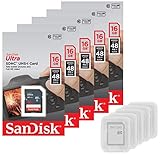
5 Pack - SanDisk Ultra 16GB SD SDHC Memory Flash Card UHS-I Class 10 Read Speed up to 48MB/s 320X SDSDUNB-016G-GN3IN Wholesale Lot + (5 Cases)

Stealth Cam 10MP Infrared Hunting Scouting Game Trail Camera w/ Video, 4 Pack

Bushnell 16MP Trophy Cam HD Essential E3 Trail Camera, Brown
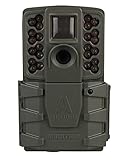
Moultrie A-25i Game Camera (2018) | A-Series| 12 MP | 0.9 S Trigger Speed | 720p Video | Compatible with Moultrie Mobile (sold separately)

Lot of 5 SanDisk 16GB SD SDHC Class 4 Flash Memory Camera Card SDSDB-016G-B35 Pack + ( 5 Jewel Cases ) ...
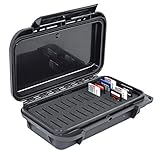
Waterproof Dust-Proof Professional 26 SD Memory Card Protective Case ELSD-26BB Black Case with Black Foam.

5x Genuine SanDisk Ultra 16GB Class 10 SDHC Flash Memory Card Up To 80MB/s Memory Card (SDSDUNC-016G-GN6IN) W/ Memory Card Case (5pcs)

Scent Killer 1259 Wildlife Research Gold 24/24 Combo, 48 oz.
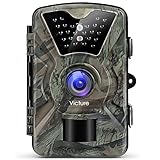
Victure Trail Game Camera 1080P 12MP Wildlife Camera Motion Activated Night Vision with 2.4 inch LCD Display IP66 Waterproof Design for Wildlife Hunting and Home Security