![For iPhone 5s Screen Replacement Black - 4.0" with [Home Button] [Front Camera] [Proximity Sensor] [Ear Speaker] [Screen Protector] [Repair Tools] LCD Display Touch Digitizer Full Assembly Repair Kit](https://m.media-amazon.com/images/I/51-p4qS6EzL._SL500_.jpg)
For iPhone 5s Screen Replacement Black - 4.0" with [Home Button] [Front Camera] [Proximity Sensor] [Ear Speaker] [Screen Protector] [Repair Tools] LCD Display Touch Digitizer Full Assembly Repair Kit
Product Description
For iPhone 5s Screen Replacement Black - 4.0" with [Home Button] [Front Camera] [Proximity Sensor] [Ear Speaker] [Screen Protector] [Repair Tools] LCD Display Touch Digitizer Full Assembly Repair Kit
<b>Compatible:iPhone 5s Screen replacement black full assembly kit with home button</b><br> -Color: Black<br> <b>-Package Including:</b><br> -LCD touch display<br> -Home button<br> -Digitizer assembly<br> -Bezel frame<br> -Front camera<br> -Ear speaker<br> -Front microphone<br> -Proximity sensor<br> -Light sensor<br> -9H hardness tempered glass<br> <b>-Repair set</b><br> -1 x Philips screwdriver<br> -1 x 5 stars screwdriver<br> -2 x Pry Pick<br> -1 x Suction Cup<br> <b> Free Risk Purchase,30 day unconditional return and 6 Months WARRANTY.</b><br> Professional YouTube video installation guide and PDF manual instructions.<br> <b>Installation Tips:</b><br> 1. Please watch the YouTube video guide before installation, or find the professional.<br> 2. Make sure your Phone is powered off before starting the repair work.<br> 3. Please mark every screws which all have different sizes and length when replace the assembly or the glass may be broken because of putting the screw in wrong place.<br> 4. Be aware of the sensitive and frangible flex cables! DO NOT over- bend or use excessive force to tear it. Please be patient and handle carefully!<br> <b>Simple Troubleshoot</b><br> 1. There are lines across the screen.<br> <b>Solution:</b> Remove the LCD screen and clean the connectors. Lines are normally because those flex cables are not well seated in or some dust in the connectors. <br> 2. Screen won't turn on but all cables are connected well.<br> <b>Solution:</b> Reset the phone by holding both Power and Home button together pressed for min 15 sec.<br> 3. Touch feedback lag or does not working properly. <br> <b>Solution:</b> The problems are caused to cables damage. Check all cables to find if there is any damage or crease on the flex cables.<br> 4. The Proximity Sensor/Earpiece Speaker/Front Camera doesn't work.<br> <b>Solution:</b> Swap your original parts from your old screen to the new screen<br>
Technical Specifications
You might also like

Complete Full Screw Set Replacment with Bottom Pentalobe Screws for iPhone 5s White/Black/Gold
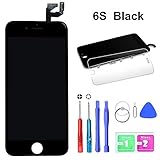
HTECHY Screen Replacement Compatible for iPhone 6S Black 4.7 Inch - LCD Screen Display Touch Digitizer Frame Assembly Set 3D Touch, Complete Repair Tools Detailed Instructions
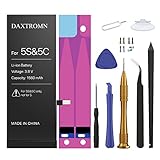
DAXTROMN Replacement Battery Compatible with iPhone 5S & 5C- Repair Kit with Tools, Adhesive Strips - 1560 mAh 0 Cycle - 2 Years Warranty

Black iPhone 4 LCD Touch Screen Digitizer Glass Replacement Full Assembly with Repair kit
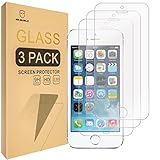
Mr.Shield-[3-Pack for iPhone SE/iPhone 5/5S / iPhone 5C [Tempered Glass] Screen Protector with Lifetime Replacement Warranty
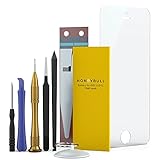
HoneyBull Replacement Battery iP5S & iP5C [1560mAh] UPGRADED New Backup Battery Repair Tool Kit Included | Not for iP5 |