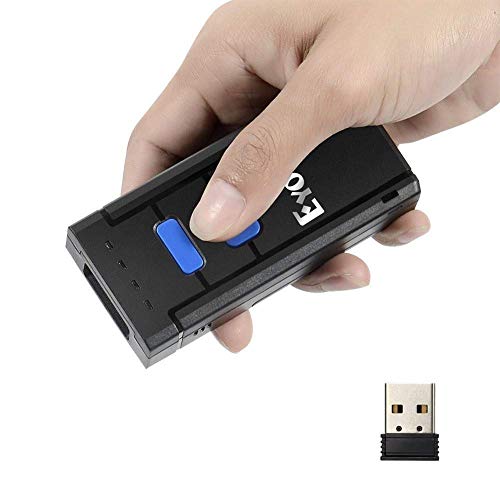
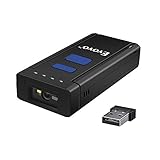
Eyoyo 1D Wireless Barcode Scanner,Compatible with Bluetooth Function & 2.4GHz Wireless & Wired Connection, Portable Barcode Reader Work with Windows, Mac,Android, iOS Phones, Tablets or Computers

Product Description
Eyoyo 1D Wireless Barcode Scanner,Compatible with Bluetooth Function & 2.4GHz Wireless & Wired Connection, Portable Barcode Reader Work with Windows, Mac,Android, iOS Phones, Tablets or Computers
<b>Advantages:</b> <br> <br>Perfectly support various versions Windows, iOS, Android OS <br> Support SPP and HID mode <br> Support keypads input(iOS only)<br> Auto data detection ensures transmission accuracy<br> Easy inventory with memory of ten thousands bar codes,users do not need to worry about the barcodes lost<br> Large capacity battery work time:72h standby time:150h<br> <br> <br> <b>Package list:</b> <br> <br>1,Bluetooth Barcode Scanner *1 <br> 2,USB Charging Cable *1 <br> 3,Quick Start Guide *1 <br> 4,USB Dongle *1 <br> <br> <br> <b>FAQ:</b><br> <br>1. It can not connect with Android device <br><br> If the device is android 3.0 or above version,it can connect directly.<br><br> 2. It can not recognize some type of barcodes <br><br> Some inactive typebarcodes are disabled as factory default.So you should enable this tyoe via read tge ebable barcode.<br>If you don't know the type,pls contact out technical support.<br><br> 3. Bracods can't upload to PC or mobile after paired<br> <br>A:Please chekc is the pairing successfully?The indicator of scanner should be blue.<br> B:Please check if you enable inventory mode(under inventory mode,the barcodes need upload manually or read tge upload barcodefor upload)<br><br> 4. PC or mobile phone can not search out it <br> <br>A:Confirm scanner is power on.<br> B:The scanner can pair only when blue LED is flashing.<br><br> 5. Can It connect with mobile or tablet after connecting with PC<br> <br>If you want to change device,plesae clear the pairing information on the device first and reset it.The Method is according to front steps.<br><br> 6. It can not connect autolly after restart the mobile device <br><br> A. Please make sure that there is no other BT connection with mobile device.<br> B. Power on scanner,it will connect with the mobile device automatically.<br> <br>7. Can it auto linefeed during barcode scanning<br><br> The user can set apply enter for suffix of barcode data or not ,please refer to the user manual.<br>
Technical Specifications
You might also like

Scotty Peelers Label & Sticker Remover - 3 Plastic Red, White, Blue and 1 Metal Blade with Cover

Esky USB Automatic Barcode Scanner Scanning Barcode Bar-code Reader Wireless 2.4GHz Handheld Cordless Bar-code Reader USB Rechargeable Wireless/Wired for POS System

Portable Bluetooth & 2.4G Wireless Barcode Scanner, Mini Handheld CCD Barcode Reader for POS, iPad, iPhone, Android Phones,Tablets or Computers with BT 4.0 Receiver

400 Clear Poly Bags Combo Pack with Suffocation Warning - 6x9, 8x10, 9x12, 11x14 - Extra Strong Seal
This Is a Set Do Not Separate Labels, 1000 Labels, Quantity Discounts, 1" X 2", Flourescent Red (2 Rolls / 1000 Labels) Sold As Set Labels, FBA Labels, Shipping Labels by Label Basics (Saurus Brands)
Accuteck ShipPro 110lbs x 0.1 oz. Digital Shipping Postal Scale, Black (W-8580-110-Black)

Scotty Peeler Label Remover - The Original (Set of 3 - 1 Red, 1 White, 1 Blue)
Eyoyo Bluetooth Barcode Scanner Mini Pocket Portable Wireless 1D Bar Code Reader Supports Windows, Android, iOS
Portable Bluetooth & 2.4G Wireless Barcode Scanner, 1D Mini Handheld Barcode Reader Supports for Windows, Android, iOS and Works with iPad, iPhone, Android Phones, Tablets or Computers