
Ehdis 2-in-1 Digital Multi Function Tachometer with Ambient Thermometer Non Contact Tach RPM, Batteries Excluded
Product Description
Ehdis 2-in-1 Digital Multi Function Tachometer with Ambient Thermometer Non Contact Tach RPM, Batteries Excluded
- NOTE: The temperature function is only Ambient temperature, NOT Object temperature! Low-power consumption MCU design, the rotational speed data in a single measurement including maximum, minimum, difference and average values will be automatically saved
- Unique design both RPM and temperature, convenient Pistol Grip Design, with 4 reflective sheets for replacement
- Safe Non-Contact Operation to 50mm (2inch) to 500mm(20inch) from Target
- Auto ranging 10 to 99,999 RPM, Temperature range: -10°C to 50°C
- Resolution: 0.1/1RPM, Accuracy: ±0.4%+2, Data Storage: 10 groups of measurement data.
<b>Specifications and Parameters</b><br> Counting range: 10-99999RPM<br> Temperature range: -10°C to 50°C<br> Resolution: 0.1/1RPM<br> Accuracy: +/-0.4%+2<br> Sensor type: Photocell<br> Measurement distance: 50-500mm<br> Working temperature and humidity: 0 ~ 50°C (45 ~ 80% RH) <br> Storage temperature and humidity: -20 ~ 60°C (≤ 80% RH) <br> Power voltage: 9V/6F22 (battery NOT included) <br> Weight:120g (Net weight) <br> Size: 164mm x 113mm x 49mm (6.46 x 4.45 x 1.93in) <p> <b>Package</b> <br> 1 x tachometer (battery NOT included) <br> 4 x reflective sheet (10x2cm) <br> 1 x storage bag<br> 1 x English Manual<p> <b>Rotational Speed Measurement</b> <br>1) Stick the reflective paper on the object to be measured. <br> 2) Fix the tachometer in a stable position or state, so that the laser emission and receiving window of the tachometer are 50 to 500 mm away from the object to be measured. <br> 3) Press the power/measurement button to start the counting measurement, you can also press the laser button to enter the continuous measurement. Align the laser to the reflective paper on the measured object, the optimal measurement angle should be able to keep the measured value stable. <br> 4) Start the device to be measured, and the tachometer will display the rotation speed of the measured object.
Technical Specifications
You might also like

CyberTech Reflective Tape for Optical and Laser Non-Contact Digital Photo Tachometers Tach RPM- 10 strips
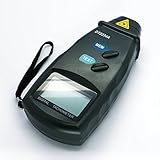
Digital Photo Laser Tachometer Non Contact Tach RPM Meter
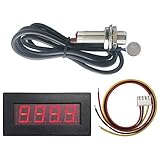
DIGITEN 4 Digital LED Tachometer RPM Speed Meter+Hall Proximity Switch Sensor NPN Red

DIGITEN 4 Digital Green LED Tachometer RPM Speed Meter+Hall Proximity Switch Sensor NPN

Ehdis Digital LCD Photo Tachometer Non-Contact RPM Meter Motor Speed Gauge Gun Style Surface Speed Tach Meter Speedometer

MS6208B Non-contact Digital Tachometer, Laser Photo 50 - 99,999 RPM High precision Tester with Max/Min/AVG Backlight Data Hold Functions
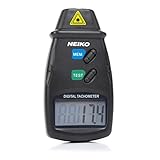
Neiko 20713A Digital Tachometer, Non Contact Laser Photo | 2.5 - 99,999 RPM Accuracy | Batteries Included

BETOOLL Heavy Duty Aluminum Copper Ratchet Cable Cutters up to 300mm² Wire Cutters 600mcm

16 Gauge Copper Clad Aluminum CCA Automotive Primary Remote Wire 4 Color Combo 100 ft roll, 400 feet total (Also in 6 & 10 Color Bundle)

OTC 6613 Variable Pin Spanner Wrench