
ETVR Bluetooth Wireless Remote Controller, Gamepad for VR and Android/ iOS/ Window Smartphones
Product Description
ETVR Bluetooth Wireless Remote Controller, Gamepad for VR and Android/ iOS/ Window Smartphones
- Compatible --with Android, iOS and Windows Phone systems, MID,TV Box and smart TV, etc. Provide Full support for Android and Basic support for iOS.
- Easy On & Off --One button to On and Off. 2 Seconds to turn on and 5 Seconds to turn off. It is powered by Two 1.5V batteries of AAA.
- User-friendly design with a satin finish --Comfortable for our hands to play long hours. Avoid slipping, when sweating. Operate accurately and smoothly.
- Multifunction --Used as a VR remote, Game pad, Music control and Selfile,etc.
- Working Modes --KEY Mode and GAME Mode. KEY is for One-hand vertical operation for music, E-Book flip and so on. GAME is Two-hand horizontal operation for game playing.
<br><b>A better and simpler experience</b> <br>ETVR Bluetooth Wireless Remote Controller is compatible with iOS, Android and WP Systems and can work with mobile phone, MID, TV box, smart TV and PC, etc, via Bluetooth. <br> <br><b>Functions</b> <br>It can be used as game pad, VR remote, wireless mouse, music control, E-book flip and PPT presentation etc. <br>Kindly note that Controller as a Mouse is only for Android. <br> <br><b>Pair and Connect</b> <br>First, press START button for 2 seconds to power on until the LED Indicator on. (2 AAA Type Size Battery is Needed.) <br>Second, after power on, the system will automatically entered the Bluetooth pairing mode with INDICATOR flashing red. Please turn the phone Bluetooth on. <br>Find the name of this device(VR shinecon-xxx), click and connect. <br>LED indicator turns off when finished. <br> <br><b>Memory Function</b> <br>It can matched the last wireless device when powered on next time. Under the status of Off State, press START over 8 seconds. INDICATOR will flash and go to another pair mode. It won't connect last paired device automatically. <br> <br><b>Working Mode</b> <br>KEY Mode and GAME Mode. They have different functions. Choose it by Sliding the GAME AND KEY button. <br>KEY is for One-hand vertical operation for music, E-Book flip and so on. GAME is Two-hand horizontal operation for game playing. <br> <br><b>Download Games</b> <br>Scan the QR code on the Manual to download games for Android, and press the M button for iOS. <br>Pull down to bottom of the page to select the language as English. <br> <br><b>Specification</b> <br>Wireless Type: Bluetooth 3.0 Compliant <br>Dimension: 5.2×2.4×0.6 Inches <br>Control Range: 33ft <br>Support System: iOS/Android/Window <br>Battery: Need your Owned Type Size Alkaline AAA 1.5 V *2Â
Technical Specifications
You might also like

ETVR 3D Virtual Reality Headset For 3D Movies and VR Games, Ultralight & Comfortable VR Headset, Large Screen Immersive Experience VR Goggles Fit for 4.7 - 6.2 inch IOS/Android Smartphones - White

ETVR 3D VR Glasses Virtual Reality Headset for 3D Movies & VR Games with Stereo Adjustable Headphone Compatible with iPhone and Android Smartphones within 4.7-6.0 Inches

iDudu VR - Virtual Reality Headset with Stereo Headphone for iPhone & Android Smartphones

ETVR 120° FOV 3D VR Glasses More Lightweight Virtual Reality Headset for Movies & Games with Hi-Fi Stereo Headphone Adjustable Focal and Pupil Distance Fit For iPhone & Android 4.7"-6.2" Smartphones
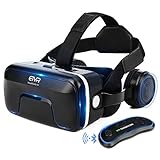
ETVR 3D VR Headset With Remote Controller, Large Viewing Immersive Experience Virtual Reality Glasses with Builted-in Stereo Headphone for VR Games & 3D Movies - Fit for iPhone and Android Smartphones
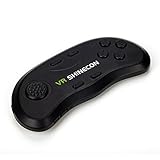
VR Remote Controller, Portable Wireless Bluetooth Multi-function Gamepad for Android/IOS smartphones (vr-1)

DESTEK V4 VR Headset, 103° FOV, Eye Protected HD Virtual Reality Headset w/ Touch Button/Trigger for iPhone X 8 7 6/6s plus, Samsung s6 s7 s8/Plus/Edge Note 8, Smartphones w/ 4.5 - 6.0in Screen
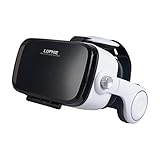
LUPHIE VR Headset, 3D Virtual Reality Glasses with Stereo Headphones and Adjustable Strap for iPhone & Android Smartphones within 4.7-6.2 inches

ETVR 3D VR Headset With Remote Controller-More Comfortable Virtual Reality Headset VR Glasses For Movies and Games, Fit For 4.7"-6.2" iPhone 7s/7/6/ 6s plus, Samsung Series and Other Smartphone Device