![Giochem RJ45 Ethernet LAN Network Adapter for Phone Pad, Phone Ethernet Adapter, 3.3ft/1m Cable, 10/100Mbps High Speed,Plug and Play [Silver]](https://m.media-amazon.com/images/I/31D4pSqXjqL._SL500_.jpg)
Giochem RJ45 Ethernet LAN Network Adapter for Phone Pad, Phone Ethernet Adapter, 3.3ft/1m Cable, 10/100Mbps High Speed,Plug and Play [Silver]

Product Description
Giochem RJ45 Ethernet LAN Network Adapter for Phone Pad, Phone Ethernet Adapter, 3.3ft/1m Cable, 10/100Mbps High Speed,Plug and Play [Silver]
- The RJ45 Ethernet LAN network adapter is designed for mobile phones and tablets.
RJ45 Ethernet LAN Network Adapter for Phone/Pad <br>-- It's convenient to go anywhere with simply connecting it to an available Phone/Pad and LAN network, easy to carry and use. <br> <br>How to Use? <br>-- 1. Turn off Wi-Fi on your Pad or Phone. <br>-- 2. Insert your router-connected Ethernet cable into Ethernet port of our adapter, and connect the lighting end into your Pad or Phone. <br>-- 3. Go to\"Setting\" in your Pad or Phone and the Ethernet settings will show up on your screen. <br>-- 4. Click the "Ethernet" to obtain an IP address. <br>-- 5. Open Safari and check if the connection is working.<br> <br>Compatibility: <br>-- Phone Models: Phone X/Phone 8 Plus/8/7 Plus/7/6s Plus/6s/6Plus/6/SE/5s/5 <br>-- Pad Models: Pad Pro/ Pad Air 2/ Pad Air/ Pad mini4/ Pad mini3/ Pad mini2 <br> <br>Specification <br>-- Product Size: 50×23.5×16.5mm(L*W*H) <br>-- Length: 1M/3.3Ft -- Weight: 25g <br>-- High Speed: 10Mbps/100Mbps <br>-- System Demand: iOS 10.x ( iOS 10.0.1- iOS 10.3.3 )+ iOS 11 x (11.0.1-11.0.3) Friendly <br> <br>Note: <br>1. Please make sure your router-connected Ethernet cable is connected to internet. <br>2.This adapter can't dial-up internet itself,need your router device provide a IP by DHCP service. <br>3.This adapter cannot work with the devices whose system is below iOS10.0. Please upgrade your system to iOS 10.0 or up before using it. <br> <br>Package including: <br>1* RJ45 Ethernet LAN Wired Network Adapter.
Technical Specifications
You might also like
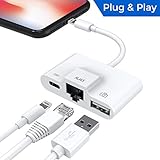
Lightning to RJ45 Ethernet LAN Wired Network Adapter, Lightning Ethernet Adapter, Lightning to USB Camera Adapter, Charging & Data Sync OTG Adapter Compatible with iPhone/iPad, Required iOS 10.0 or Up
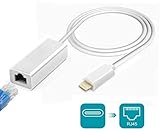
Amatage Lighting to RJ45 Ethernet LAN Network Adapter for Phone/Pad, Phone Ethernet Adapter, 3.3ft/1m Cable, 10/100Mbps High Speed, System Required iOS 10.0 or Up

USB C to Ethernet Adapter, uni RJ45 to USB C Thunderbolt 3/Type-C Gigabit Ethernet LAN Network Adapter, Compatible for MacBook Pro 16'' 2019/2018/2017, MacBook Air, Dell XPS and More - Gray

Micro USB Ethernet Adapter for Android Windows Tablet, Nexus Player, Dell Venue - Wired LAN Connection

UGREEN Ethernet Adapter USB 2.0 to 10/100 Network RJ45 LAN Wired Adapter for Nintendo Switch, Wii, Wii U, MacBook, Chromebook, Windows 10, 8.1, Mac OS, Surface Pro, Linux ASIX AX88772 Chipset (Black)
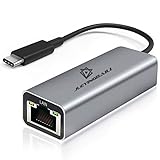
USB C To Ethernet Adapter - Ethernet To USB C/Thunderbolt 3 To RJ45 Wired Network Convert Adapter Plug & Play USB Type C Ethernet Cable Compatible With Mac Book,MacBook Air,Samsung,And More -Gray JYZZ

Anker USB C to Ethernet Adapter, Portable 1-Gigabit Network Hub, 10/100/1000 Mbps, for MacBook Pro, iPad Pro 2019/2018, ChromeBook, XPS, Galaxy S9/S8, and More
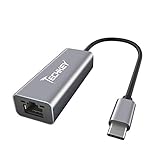
USB C to Ethernet Adapter, Techkey USB Thunderbolt 3 / Type C to RJ45 Gigabit Ethernet LAN Network Adapter Compatible for MacBook Pro 2019/2018/2017 Dell XPS ChromeBook Galaxy S9/S8 and More

Belkin Ethernet + Power Adapter with Lightning Connector (Mfi-Certified Lightning to Ethernet Adapter for iPad POS Systems)

Cable Matters SuperSpeed USB 3.0 to RJ45 Gigabit Ethernet Network Adapter in Black