
heshunze Dual Dash Cam Dashboard Camera FHD 1080P Driving Recording with 4.0" IPS Screen 170°Wide Angle, WDR,Parking Monitor, Loop Recording, G-Sensor, Night Vision, Motion Detection.
Product Description
heshunze Dual Dash Cam Dashboard Camera FHD 1080P Driving Recording with 4.0" IPS Screen 170°Wide Angle, WDR,Parking Monitor, Loop Recording, G-Sensor, Night Vision, Motion Detection.
<b>Warm Tips:</b><br> 1.Please adjust the sensitivity of G-sensor to Low or turn it off if your monitor shows "card full" even with loop recording function open of this dash cam.<br><br> 2.When operate this camera with the built-in battery, we recommend using it after charging for about 20 minutes to 30 minutes. The built-in battery capacity of the recorder is 300mA, and it is only used in emergency situations. Please charge the camera in time through the car charger while driving.<br><br> 3.To ensure seamless video recording,please kindly turn off "motion detection" of this dash camera while driving.<br><br> 4.If you want screen off but dash cam still keep recording, just choose" screensaver" in setting, dashcam will keep recording as normal.<br><br> <b>How to install: <br><br> Remove dirt from the windshield and bracket suction cups before installing the bracket. <b> 1. Install the suction cup on the camera. <b><br> 2. Place the suction cups in parallel on the windshield of the car. <b><br> 3. Press the suction cup firmly against the windshield and push the bracket down firmly<b><br> 4. Plug the USB car charger into the cigarette lighter socket of the car. <b><br> 6. Wiring the USB cable along the car's gaps. <b><br> 7. Place the end of the USB cable a few turns on the rear view mirror to prevent the recorder from falling. <b><br> 8. Plug the Micro USB head of the car charger into the camera's USB port<b><br> 9. Adjust the camera to an appropriate angle to ensure that the front of the car is visible from the camera screen.<br><br> How to install the rear camera<br><br> Connect the rear camera's Terminal (2.5 mm diameter) directly to the AV IN port of the camera. <br><br> The red cable is the power cord used to illuminate the rear camera LEDs. <br><br> <b>Tips: </b>Please format SD Card ( class 10, 32GB max SDHC card) on your dash cam before using; <br><br>
Technical Specifications
You might also like

iPhone Cable,Sharllen MFi Certified Lightning Cables 3/3/6/6/10FT Nylon Braided iPhone Charging Cord Fast USB Charging&Syncing Cord Compatible iPhone Charger XS/Max/XR/X/8 P/8/7/7P/6/iPad 5 Pack Black
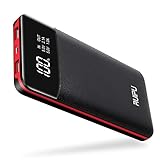
Power Bank Portable Charger 2 USB Outputs 24000mAh High Capacity Charge External Battery Pack with LCD Display, Compatible with Smart Phones,Android Phone,Tablet and More
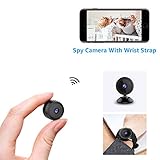
AOBO Mini Spy Camera Wireless Hidden Home WiFi Security Cameras with App 1080P Night Vision Motion Activated Indoor Outdoor Small Nanny Cam for Cars Apartment Live Streaming with iPhone/Android Phone
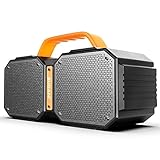
Bluetooth Speakers, Portable Bluetooth Speakers 5.0, 40W Super Power, Rich Woofer, Stereo Loud. Suitable for Family Gatherings and Outdoor Travel. (Black)

Extra Large Backpack,TSA Friendly Durable Travel Backpack with USB Charging Port/Headphones Hole for Men&Women, Anti theft&Secure, Water-Resistant Big Business College School bag Fits 17" Laptop
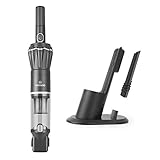
MOOSOO Handheld Vacuum 7kpa/12KPa Portable Hand Vacuum Cleaner Cordless with Cyclonic Suction H13 HEPA Filter Lightweight Mini for Car, Corner Dust, Pet Hair, etc (Household & Car Charging)

True Wireless Earbuds Bluetooth 5.0 Auto Pairing Wireless Earphones IPX7 Waterproof Sport Bluetooth Headphones with 3500Mah Charge Case and Mic HD Calls Noise Reduce Earbuds for iPhone Android Black
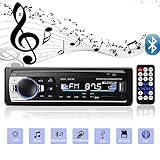
Aigoss Bluetooth Car Stereo, 4x60W Car Audio FM Radio, MP3 Player USB/SD/AUX Hands Free Calling with Wireless Remote Control