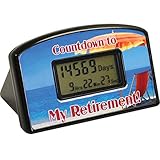
Jayron Backlight Digital 9,999 Days Countdown Timer Big LCD Display Count Down for Retirement Wedding Vacation Christmas Event Classroom Cruise
Product Description
Jayron Backlight Digital 9,999 Days Countdown Timer Big LCD Display Count Down for Retirement Wedding Vacation Christmas Event Classroom Cruise
- COUNTDOWN TIMER---- Countdown to track the target time, the setting range is 9999 days, accurate to year, month, day, hour, minute and second.
- EASY OPERATION ---- Just set the current date and target date, independent button design, easy to use.
- PERSONALIZED DESIGN ---- We will provide five theme cards for replacement, and you can print your favorite pictures to customize and design your own timer theme.
- GIFT OF LIFE ---- Checking the distance anniversary date is a very meaningful thing, and enjoy the joy before the target date.
- OTHER---- CE ROHS certification;We provide two-year after-sales guarantee. Please feel free to consult if you have any related equipment problems during the period.
<b>Digital Days Countdown Timer LCD Backlight for vacation Event Classroom Kitchen Cooking</b><br> <p><b>Products Instruction</b><br> Backlight display function:Press any button to start the back light.(The backlight will be extinguished automatically if no operation is done for 10 seconds.<br> After the starting and ending time are set, press "Enter" button, timer will work automatically. <br> After countdown start,press and hold on "clear" button for 5 seconds to delete current cluntdown data and then reset target date and current date. <br> You can view the tartget date by pressing "look" button during countdown. <br> Buzzzer will be on for one minute after countdown is over,press any button to stop buzzer. <br> Factory settings will be restored once the batteries are removed. <br></P> <p><b>Product Specification</b><br> Screen size: 65 * 35mm / 2.5 * 1.4 in.<br> Product size: 129(L) * 64(H)mm / 5(L) * 2.5(H) in.<br> Net Weight: 144g / 5.08oz.<br> Battery Required:2 * AAA batteries (NOT Included).<br></P> <p><b>Trouble shooting Tips</b><br> 1.Buttons don't work. <br> This occurs while countdown is working, you need reset the clock by holding the "Clear" button for around 5 seconds, then buttons will work.<br> 2.Screen is stuck and display "Err".<br> This means that your starting and finish(ending) was set in-correctly. Make sure the finish(ending) time is after the starting time.<br> 3. Countdown result is calculated inaccurately.<br> Just set your finish (ending) time first,then set the starting time and press "Enter" button immediately. <br></P>