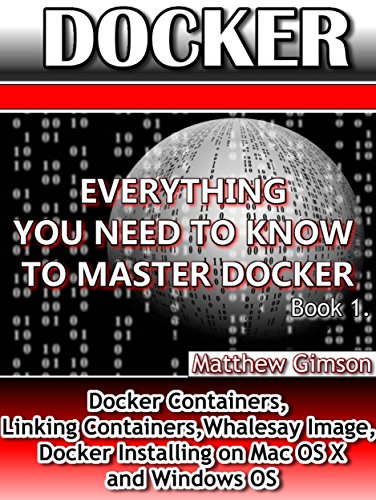
DOCKER: Everything You Need to Know to Master Docker (Docker Containers, Linking Containers, Whalesay Image, Docker Installing on Mac OS X and Windows OS) (Programming is Easy Book 7)

Product Description
DOCKER: Everything You Need to Know to Master Docker (Docker Containers, Linking Containers, Whalesay Image, Docker Installing on Mac OS X and Windows OS) (Programming is Easy Book 7)
<h1> DOCKER</h1><h2> Everything You Need to Know to Master Docker (Docker Containers, Linking Containers, Whalesay Image, Docker Installing on Mac OS X and Windows OS)</h2><br /><br />This book explores the details of Docker in detail. After reading it, you will become an expert in using it.<br /><br /> It begins by defining what it is, when it was developed, its origin, and what it is used for. You will also know the environments in which to run the Docker.<br /><br /> The book then guides you on how to install the Docker on Mac OS X. Most people think that this is impossible since the Docker is native to Linux OS. <br /><br />The book will also guide you on how to install and run the Docker on Windows OS. Most of the Docker commands used in these operating systems are explored.<br /><br /> You will learn how to start, stop and upgrade the Docker in various operating systems.<br /><br /> Docker images and containers are also discussed in detail. You will learn what they are and how to use them.<br /><br /> The book will also guide you on how to find a whalesay image from the Docker Hub and then use it on your local system.<br /> The book will also guide you on how to build your own Docker image. You will then create a repository in the Docker Hub where you will upload the image which you have just created.<br /><br /> You will also learn how to download the image onto your system for your own use.<br /> The book will also guide you on how to link the various Docker containers. <br /><br />The following topics have been explored in this book:<br /><br />-Definition<br />-Installing Docker on Mac OS X<br />-Docker Images and Containers<br />-Finding and Running a Whalesay Image<br />-Building Docker Images<br />-Creating a Docker Repository and Account<br />-Tagging, Pushing and Pulling the Image<br />-Docker Containers<br />-Linking Containers<br />-Installing Docker on Windows <br /><br /><br />Download your copy of <b>" DOCKER "</b> by scrolling up and clicking <b>"Buy Now With 1-Click"</b> button.<br />
Technical Specifications
You might also like
The Docker Book: Containerization is the new virtualization

Docker: Docker Guide for Production Environment (Programming is Easy Book 8)

Ansible for DevOps: Server and configuration management for humans

AWS Lambda: A Guide to Serverless Microservices
The DevOps 2.0 Toolkit: Automating the Continuous Deployment Pipeline with Containerized Microservices

Docker: Up & Running: Shipping Reliable Containers in Production

An Introduction to Docker

VAGRANT: Make Your Life Easier With VAGRANT. Master VAGRANT FAST and EASY! (Programming is Easy Book 10)

Shell Scripting: How to Automate Command Line Tasks Using Bash Scripting and Shell Programming