](https://images-na.ssl-images-amazon.com/images/I/41Q6qdT9AvL.jpg)
Card Camera Reader, SD Card Reader, Trail Game Camera SD&TF Card Reader, 3 in 1 Lightning to Camera Card Reader, Lightning to USB 2.0 Female OTG Adapter for iPhone/iPad [No need APP](White)
Product Description
Card Camera Reader, SD Card Reader, Trail Game Camera SD&TF Card Reader, 3 in 1 Lightning to Camera Card Reader, Lightning to USB 2.0 Female OTG Adapter for iPhone/iPad [No need APP](White)
- ▶▶Multi-function Card Reader◄◄ Upgraded Lightning OTG adapter support iOS 9.1 or later1; Transfer pictures and videos from camera to your iPhone and iPad faster and easier.
- ▶▶PLUG&PLAY◄◄ Pretty convenient to use. No need APP&Personal Hotspot. Equipped with Lightning to USB Charging Port, never worry about power shortage while transferring.
- ▶▶High-speed Transfer & Multifunction◄◄ USB 2.0 speed; Transmission up to 14MB/S~16MB/S; Connect USB Peripherals: USB flash disk, keyboards, lightning interfaces, PC adapters,card readers etc.(NOTE: Do NOT support USB devices over 100mA current)
- ▶▶Save Time & Space◄◄ Simple device to use; Transfer data from one device to another in seconds; Able to free up a ton of space on your phone at the moment; Connect keyboard to Card Reader and Enjoy fast typing speed when chatting with your iPhone or iPad.
- ▶▶NOTE◄◄ When upload pics or videos from USB device to your iPhone or iPad, pls create a new file named "DCIM" for pics or videos in USB device.
<b>Main Parameter:</b><br>Operating voltage: 3.3V<br>Operating current: <100mA<br>Interface: Lightning /SD Card/TF Card/USB Receptacle<br>W/R Speed: USB 2.0 Speed<br><br><b>High Compatibility:</b><br>>> iPhone: iPhone8 Plus, iPhone 8, iPhone 7, iPhone 7 Plus, iPhone 6s, iPhone 6s Plus, iPhone 6, iPhone 6 Plus, iPhone SE, iPhone 5s, iPhone 5c, iPhone 5<br>>> iPad: iPad Pro 10.5 inch, iPad Pro 12.9 inch (2nd Generation), iPad Pro 12.9 inch (1st Generation), iPad Pro 9.7inch, iPad mini 4, iPad mini 3; iPad mini 2, iPad mini, iPad Air 2, iPad Air, iPad with Retina display<br><br><b>HOW to Use it to Transfer Photos and Videos from your Camera</b><br>1.Turn on your iPhone or iPad and connect the Lightning to USB Camera Adapter to the Lighting port<br>2.Turn on your camera and connect it to the adapter using the USB cable that came with your camera<br>3. Your ipad or iphone will open the photos app automatically 3-7 seconds after connecting this adapter, and then you can choose photos or videos you like to import<br><br><b>★Note&Tip★</b><br>1.The lightning to iPhone OTG adapter does not support iPhone X.<br>2.When connecting with USB device, you can't put photos in the U disk directly, Must create a new file named "DCIM" (Most camera have this file).<br> Then send photos to this file, insert the usb to OTG, after 3-7 seconds, iPAD will automatically pop-up the picture window.<br>3.This adapter can not support USB devices over 100mA, please check your devices current. How to check the working current of your USB devices.<br>4.Support transfer of photos and videos only.<br> 5.Support iOS 9.3 or later only.<br><br><b>Package Included:</b><br>1 x Lightning to USB 3.0 Camera Adapter<br>1 x User Manual
Technical Specifications
You might also like
SD Card Reader, iPhone SD Card Reader, Tail Camera Card Reader for Hunting, RayCue Lightning Adapter for iPhone/iPad, Lightning to SD Card Camera Reader No App Needed, Support iOS11 and Before

USB C Hub, Type C Hub to HDMI, 4 in 1 Combo with 2USB3.0 and PD, Multi-function USB C to HDMI Adapter for Notebook & Tablet PC & Phone --- MacBook Pro, Chromebook 2016, DELL XP etc. (Black)
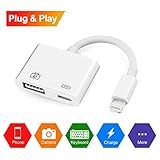
RayCue Lightning to USB Camera Adapter, Lightning to USB 3.0 Female OTG Adapter Cable With Charging Interface for iPhone iPad,No App Required[support iOS 11 and 10.3](White)
USB 3.0 to HDMI HD 1080P Video Convertor with Audio Output Multiple Monitors for Laptop HDTV TV PC with Windows XP / 7 / 8 / 8.1 / 10 [ NO MAC & VISTA ]