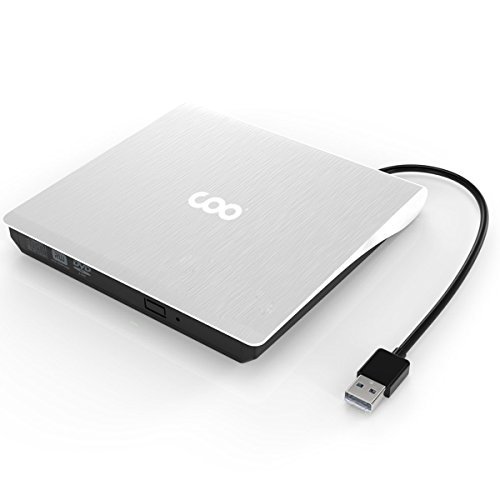
COO External CD Drive, USB 3.0 CD/DVD-RW Drive, CD-RW Rewriter Burner Protable Superdrive for High Speed Data Transfer for Laptop Notebook PC Support Windows/Vista/7/8.1/10, Mac OSX (White)
Product Description
COO External CD Drive, USB 3.0 CD/DVD-RW Drive, CD-RW Rewriter Burner Protable Superdrive for High Speed Data Transfer for Laptop Notebook PC Support Windows/Vista/7/8.1/10, Mac OSX (White)
<b>Product Description:</b><br> Product is tray loading external portable ODD caddy which is suitable to USB 2.0/3.0 connector desktop or laptop. <br>Compatible Windows XP/2003/Wind8/Vista/7,Linux, Mac10 OS systerm. <br> No extra drive, support plug and play. <br> Compatible USB3.0 port and the following ports USB2.0/1.1 efficiency more stable. Applies more widely. <br> Data cable with pure copper braid process, anti-interference ability, signal attenua-tion, more stable data transmission. <br> The applicable standard SATA ODD. <br> Power consumption 3-5W. <br><br> <b>SPECIFICATIONS: </b><br>Loading Type: Tray<br>Buffery Memory: 2MB<br>Power consumption: 3-5W<br>Interface: USB 3.0 (2.0 & 1.0 Compatible) <br>Product Dimensions: 5.77*5.65*0.63 IN<br>Package Dimensions: 6.50*6.46*1.06 IN<br>N.W : 360g<br>G.W: 394g<br>Applicable Standard: ODP95 SATA ODD<br><br> <b>WRITE SPEED(MAX): </b><br>CD-R: Max24X CAV<br>CD-RW: 4X CLV<br>High Speed CD-RW: 10XCLV<br>Ultra Speed CD-RW: Max 24X Zone CLV<br>DVD-R: Max.8X CAV<br>DVD-R DL:Max.6X Zone CLV<br>DVD-RW: Max.6X Zone CLV<br>DVD+R: Max.8X CAV<br>DVD+R DL: Max.6X Zone CLV<br>DVD+RW: Max.8X Zone CLV<br>DVD-RAM: Max.3-5X PCAV(4.7GB) <br><br> <b>READ SPEED(MAX): </b><br>DVD-ROM: Max 8X CAV<br>CD-ROM: Max 24X CAV<br><br> <b>PACKAGE INCLUDES: </b><br>1x USB 3.0 External DVD Drive<br>1x User Manual<br><br> <b>Note: </b><br> Prior to using the Disc drive, please make sure your computer contains Media player software. Customer's using Windows 10 are advised to Install VLC Media player to Play DVD and CD. <br><br> <b>Instructions for use: </b><br> This product is a data line interface properly connected to USB port of the computer, the computer display lower right corner should appear device icon. <br> Click on the desktop, open the "my computer", in" the mobile storage device should display the drive icon".<br>Click on this icon button, select the "pop" in the tray into the oppropriate disk read. <br>
Technical Specifications
You might also like
Portable Charger Power Bank 24000mAh - Wireless Charger with LED Digital Display, 3 Outputs & Dual Inputs External Battery Pack Compatible Cellphone,Android Phones,Tablet and More.
Aigoss Bluetooth Car Stereo, 4x60W Digital Media Receiver with Remote Control, Car Speakerphone Hand-Free Call, Support USB/SD/Audio Receiver/MP3 Player/FM
Lacdo Shockproof External USB CD DVD Writer Blu-Ray & External Hard Drive Neoprene Protective Storage Carrying Sleeve Case Pouch Bag With Extra Storage Pocket for Apple MD564ZM/A USB 2.0 SuperDrive / Apple Magic Trackpad / SAMSUNG SE-208GB SE-208DB SE-218GN SE-218CB / LG GP50NB40 GP60NS50 / ASUS External DVD Drives (Black)
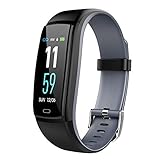
Mgaolo Fitness Tracker HR, Activity Tracker Waterproof Smart Watch Wristband with Heart Rate Blood Pressure Pedometer for Android and iPhone
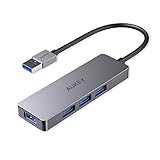
AUKEY USB 3.0 Hub Ultra Slim 4-Port USB Hub in Aluminum Compatible with Mac Pro/Mini, Microsoft Surface Pro, Dell XPS 15 and More

Blu-Ray Player External USB DVD RW Laptop Burner Drive
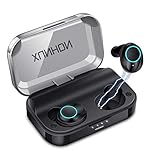
True Wireless Earbuds Bluetooth 5.0 Auto Pairing Wireless Earphones IPX7 Waterproof Sport Bluetooth Headphones with 3500Mah Charge Case and Mic HD Calls Noise Reduce Earbuds for iPhone Android Black

USB C Hub, Zedela USB C Adapter with 3 USB 3.0, 4K USB C to HDMI,PD Power Delivery(Thunderbolt 3),Data Transmission,6 in 1 Type C Hub for Macbook Pro/ Air,iPad Pro,ChromeBook or more Type C Laptops