
CELLPHONEAGE for iPhone 5S LCD Replacement Screen Display Glass Touch Screen Digitizer Assembly kit with Free Tool Kits + Free Screen Protector (White)

Product Description
CELLPHONEAGE for iPhone 5S LCD Replacement Screen Display Glass Touch Screen Digitizer Assembly kit with Free Tool Kits + Free Screen Protector (White)
- Compatible With:iPhone 5S White.Frame and LCD Preattached.Please recognize cellphoneage(Fixing_DIY) Shop.
- Each screen is 100% tested before shipping,100% new and 100% working,quality guaranteed.
- Combine a LCD display with a touch screen digitizer.Ultra High contrast ratio.Fits perfectly.
- Blends high quality material with cutting edge tech.Excellent experience:brand new material,well connected,functional stability and durable using.
- Repair/Replacing your old,damaged,cracked,shattered screen,or screens with display or touch response issues.Great replacement for your scratched or damaged screen.
<b>cellphoneage® have a very professional & strong production technology team support.If you have any problem that can contact us any time to get professional services.</b><br> <b>Package:</b><br> 1x LCD&Touch Screen Complete Assembly Digitiser Replacement For iPhone 5S White.<br> 1x Free Repair Tool Kits(The tool kit is for free, not accept exchange or refund.).<br> <b>What should I pay attention before I am getting started the iPhone installation? 9 pts.You must know.</b><br> #1 Watch through installation video tutorial before getting started. There are many of these tutorials in YouTube.<br> #2 Make sure you power off your phone before starting the repair work.<br> #3 Make sure you have read through the installation instruction printed on the packaging box.<br> #4 Perform the replacement under a electro-static discharge (ESD) free environment. Wear a anti-static wrist strap or put a anti-static mat on the working table to prevent any ESD damage on your phone device.White and zebra strip lines sometimes results because of ESD as well.If you are not confident about that, we suggest you to locate a repair shop at your neighbourhood.<br> #5 Cover up any metal bare connections around the flex cable with Kapton tape to avoid any 'short-out'.<br> #6 The LCD screen assembly is fragile and please don't crack the 4 corners and the area right under the flex cables.<br> #7 Check whether there is any dust or debris in between the flex cables and motherboard. Clear them with brush or alcohol dipped cloth.<br> #8 Don't bend the flex cables.<br> #9 Make sure the flex cable is properly connected with a "click" sound.Don't force the connector together until they are properly lined up.<br>
Technical Specifications
You might also like

for iPhone 5S Full Set LCD Screen Replacement Digitizer Assembly Display Touch Panel Black
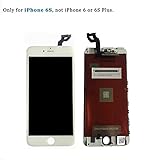
LCD Digitizer Screen Replacement Touch Screen and Digitizer Assembly for iPhone 6S 4.7inch White

ZTR LCD Touch Screen Digitizer Frame Assembly Full Set LCD Touch Screen Replacement for iPhone 6 plus 5.5" - Black
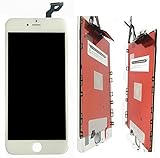
PassionTR White iphone 6s plus 5.5 inch LCD Display Touch Screen Digitizer Assembly Screen replacement full set with tools

Future Replacement LCD Display & Touch Screen Digitizer Assembly for 4.7" iPhone 6 (White)

cellphoneage® Black for iPhone 5C LCD Replacement screen Display Glass Touch Screen Assembly kit with Free screen protector

CLWHJ-replacement LCD Display & Touch Screen Digitizer Assembly for 4.7" Iphone 6 (White) By Hong Hao

LCD Display & Touch Screen replacement and Digitizer Assembly for iPhone 6 (4.7inch) Black

ZTR Black LCD Display Touch Screen Digitizer Assembly With Frame FOR iphone 6s 4.7 inch

HH-Replacement LCD Display & Touch Screen Digitizer Assembly for 4.7" iPhone 6 (Black) by Honghao