
CCNA v3 Lab Guide: Routing and Switching Labs
Product Description
CCNA v3 Lab Guide: Routing and Switching Labs
<i>CCNA Lab Guide: Routing and Switching</i> is a workbook designed to provide lab skills necessary for passing the new CCNA exam. Learn how to configure, verify and troubleshoot all required labs for ICND1 exam, ICND2 exam and CCNA 200-125 exam. The labs start from configuration to more complex troubleshooting of routers and switches.<br><br><b>Troubleshooting oriented questions account for at least 40% of all exam points</b>. You will learn standard techniques for troubleshooting along with step-by-step analysis and resolution of errors. The labs include a variety of configuration errors for you to troubleshoot and resolve. There is coverage of IPv6 addressing and WAN protocols as well that are based on CCNA exam guidelines. The workbook is portable to labs based on Cisco physical equipment or GNS3 virtualized labs.<br><br> Introduction<br>Packet Tracer Download<br><br><b>Initial Device Configuration</b><br>Lab 1-1: Global Configuration<br>Lab 1-2: System Management<br><br> <b>LAN Switching Technologies</b><br>Lab 2-1: Create VLANs<br>Lab 2-2: Access Ports<br>Lab 2-3: Static Trunking<br> Lab 2-4: EtherChannel<br>Lab 2-5: Rapid STP<br>Lab 2-6: PortFast<br> Lab 2-7: Root Bridge Selection<br> Lab 2-8: VLAN Trunking Protocol<br><br><b>Routing Technologies</b><br>Lab 3-1: IPv4 Addressing<br>Lab 3-2: Static Route<br>Lab 3-3: Default Route<br>Lab 3-4: Floating Static Route<br>Lab 3-5: Subnetting<br>Lab 3-6: Multi-Area OSPFv2<br>Lab 3-7: Multi-Area OSPFv3<br>Lab 3-8: EIGRP for IPv4<br>Lab 3-9: EIGRP for IPv6<br>Lab 3-10: RIPv2<br> Lab 3-11: Inter-VLAN Routing<br> Lab 3-12: External BGP (eBGP)<br><br><b>IPv6 Addressing</b><br>Lab 4-1: Link-Local<br>Lab 4-2: Autoconfiguration<br> Lab 4-3: Global Unicast<br>Lab 4-4: IPv6 Default Route<br><br><b>Infrastructure Security</b><br>Lab 5-1: Device Passwords<br>Lab 5-2: Port Security<br>Lab 5-3: Named ACL<br> Lab 5-4: Extended ACL-1<br>Lab 5-5: Extended ACL-2<br>Lab 5-6: DHCP Snooping<br><br><b>Infrastructure Services</b><br> Lab 6-1: Port Address Translation<br>Lab 6-2: Static NAT<br>Lab 6-3: Hot Standby Router Protocol<br><br><b>Infrastructure Maintenance</b><br>Lab 7-1: Managing Switches<br>Lab 7-2: Managing Routers<br>Lab 7-3: Password Recovery<br>Lab 7-4: IOS Upgrade<br><br><b>Troubleshooting Labs</b><br>Lab 8-1: Switch Interfaces<br>Lab 8-2: Trunking<br>Lab 8-3: Static Routing<br> Lab 8-4: EIGRP Neighbor Adjacency<br>Lab 8-5: EIGRP K Values<br>Lab 8-6: OSPF Timers<br> Lab 8-7: Access Control Lists<br>Lab 8-8: Default Gateway<br>Lab 8-9: DHCP Server<br>Lab 8-10: PPP Authentication<br>Lab 8-11: Port Security<br>Lab 8-12: Router on a Stick<br>Lab 8-13: Remote Management<br> Lab 8-14: Traceroute<br>Lab 8-15: Routing and Switching<br><br> IOS Show Command Reference<br> CCNA Configuration Reference
Technical Specifications
You might also like

CCNA v3 Routing and Switching 200-125: CCNA Study Guide

CCNA Routing and Switching 200-125 Official Cert Guide Library
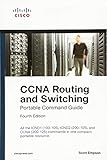
CCNA Routing and Switching Portable Command Guide (ICND1 100-105, ICND2 200-105, and CCNA 200-125) (4th Edition)

CCNA v3 Routing and Switching: Exam Study Notes

31 Days Before Your CCNA Routing & Switching Exam: A Day-By-Day Review Guide for the ICND1/CCENT (100-105), ICND2 (200-105), and CCNA (200-125) Certification Exams

101 Labs for the Cisco CCNA Exam
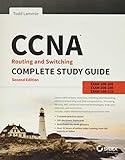
CCNA Routing and Switching Complete Study Guide: Exam 100-105, Exam 200-105, Exam 200-125
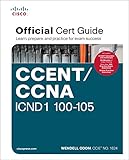
CCENT/CCNA ICND1 100-105 Official Cert Guide

CCNA Routing and Switching ICND2 200-105 Official Cert Guide