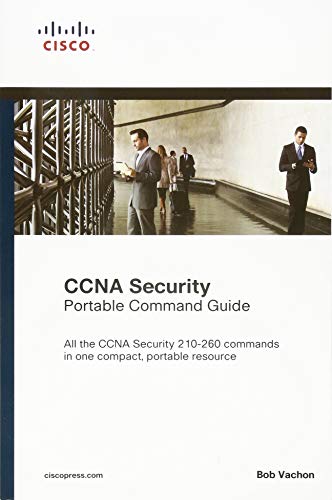
CCNA Security (210-260) Portable Command Guide

Product Description
CCNA Security (210-260) Portable Command Guide
<p style="margin: 0px;">Preparing for the latest CCNA Security exam? Here are all  the CCNA Security (210-260) commands you need in one condensed, portable resource. Filled with valuable, easy-to-access information, the <i>CCNA Security Portable Command Guide, </i>is portable enough for you to use whether you’re in the server room or the equipment closet.</p> <p style="margin: 0px;"> <br> </p> <p style="margin: 0px;">Completely updated to reflect the new CCNA Security 210-260 exam, this quick reference summarizes relevant Cisco IOS® Software commands, keywords, command arguments, and associated prompts, and offers tips and examples for applying these commands to real-world security challenges. Configuration examples, throughout, provide an even deeper understanding of how to use IOS to protect networks. </p> <p style="margin: 0px;"> <br> </p> <p style="margin: 0px;">Topics covered include</p> <p style="margin: 0px;"> <br> </p> <ul> <li> <div style="margin: 0px;">Networking security fundamentals: concepts, policies, strategy</div> </li> <li> <div style="margin: 0px;"> Protecting network infrastructure: network foundations, security management planes/access; data planes (Catalyst switches and IPv6)</div> </li> <li> <div style="margin: 0px;"> Threat control/containment: protecting endpoints and content; configuring ACLs, zone-based firewalls, and Cisco IOS IPS</div> </li> <li> <div style="margin: 0px;"> Secure connectivity: VPNs, cryptology, asymmetric encryption, PKI, IPsec VPNs, and site-to-site VPN configuration</div> </li> <li> <div style="margin: 0px;"> ASA network security: ASA/ASDM concepts; configuring ASA basic settings, advanced settings, and VPNs</div> </li> </ul> <p style="margin: 0px;"> Access all CCNA Security commands: use as a quick, offline resource for research and solutions </p> <p style="margin: 0px;"> <br> </p> <ul> <li> <div style="margin: 0px;">Logical how-to topic groupings provide one-stop research </div> </li> <li> <div style="margin: 0px;">Great for review before CCNA Security certification exams </div> </li> <li> <div style="margin: 0px;">Compact size makes it easy to carry with you, wherever you go </div> </li> <li> <div style="margin: 0px;"> “Create Your Own Journal†section with blank, lined pages allows you to personalize the book for your needs </div> </li> <li> <div style="margin: 0px;"> “What Do You Want to Do?†chart inside the front cover helps you to quickly reference specific tasks</div> </li> </ul> <p style="margin: 0px;"> <br> </p>
Technical Specifications
You might also like

31 Days Before Your CCNA Security Exam: A Day-By-Day Review Guide for the IINS 210-260 Certification Exam

CCNA Security 210-260 Official Cert Guide
CCNA Routing and Switching Portable Command Guide (ICND1 100-105, ICND2 200-105, and CCNA 200-125)

CCNA Security Lab Manual Version 2 (Lab Companion)

CCNA Security 210-260 Certification Guide: Build your knowledge of network security and pass your CCNA Security exam (210-260)

CCNP Routing and Switching Portable Command Guide

CCNA Security Course Booklet Version 2 (Course Booklets)

31 Days Before Your CCNA Routing & Switching Exam: A Day-By-Day Review Guide for the ICND1/CCENT (100-105), ICND2 (200-105), and CCNA (200-125) Certification Exams

CCNA Routing and Switching 200-125 Official Cert Guide Library

CCNA 200-301 Portable Command Guide (5th Edition)