
CCDENT ICND1 100-105 Exam Cram
Product Description
CCDENT ICND1 100-105 Exam Cram
<p style="margin: 0px;"> <i>CCENT ICND1 100 -105 Exam Cram </i>is the perfect study guide to help you pass the 100-105 ICND1 exam, providing coverage and practice questions for every exam topic. The book contains an extensive set of preparation tools, including topic overviews, exam alerts, Cram Savers, Cram Quizzes, chapter-ending review questions, author notes and tips, and an extensive glossary. The book also contains the extremely useful Cram Sheet tear-out: a collection of essential facts in an easy to review format. Complementing all these great study tools is the powerful Pearson Test Prep practice test software, complete with hundreds of exam-realistic practice questions. This assessment software offers you a wealth of customization options and reporting features, allowing you to test your knowledge in study mode, practice exam mode, or flash card mode.</p> <p style="margin: 0px;"> <br> </p> <p style="margin: 0px;">Covers the critical information you’ll need to know to score higher on your CCENT exam!</p> <ul> <li> <div style="margin: 0in 0in 0pt; line-height: normal; mso-layout-grid-align: none;">Compare and contrast networking models including OSI and TCP/IP</div> </li> <li> <div style="margin: 0px;">Compare and contrast various networking technologies and architectures</div> </li> <li> <div style="margin: 0px;">Apply troubleshooting methodologies</div> </li> <li> <div style="margin: 0px;">Master subnetting in IPv4</div> </li> <li> <div style="margin: 0px;">Understand important details of IPv6</div> </li> <li> <div style="margin: 0px;">Describe and verify key switching topics</div> </li> <li> <div style="margin: 0px;">Configure Layer 2 switches, including Port Security</div> </li> <li> <div style="margin: 0px;">Configure and verify Inter-VLAN routing</div> </li> <li> <div style="margin: 0px;">Configure and verify routing</div> </li> <li> <div style="margin: 0px;">Configure and verify key infrastructure services including DNS, DHCP, DHCP, NTP, and NAT</div> </li> <li> <div style="margin: 0px;">Configure and verify infrastructure maintenance</div> </li> <li> <div style="margin: 0px;">Configure Cisco device hardening</div> </li> <li> <div style="margin: 0px;">Troubleshoot networks using key IOS tools</div> </li> </ul> <p style="margin: 0px;"> <br> </p>
Technical Specifications
You might also like
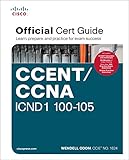
CCENT/CCNA ICND1 100-105 Official Cert Guide

CCENT ICND1 Study Guide: Exam 100-105, 3rd Edition

CCNA Routing and Switching 200-125 Exam Cram (5th Edition)
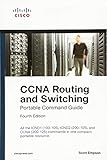
CCNA Routing and Switching Portable Command Guide (ICND1 100-105, ICND2 200-105, and CCNA 200-125) (4th Edition)

CCNA Routing and Switching 200-125 Official Cert Guide Library

31 Days Before Your CCNA Routing & Switching Exam: A Day-By-Day Review Guide for the ICND1/CCENT (100-105), ICND2 (200-105), and CCNA (200-125) Certification Exams
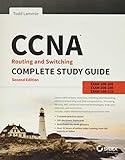
CCNA Routing and Switching Complete Study Guide: Exam 100-105, Exam 200-105, Exam 200-125
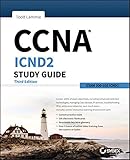
CCNA ICND2 Study Guide, Third Edition

CompTIA Network+ N10-007 Exam Cram (6th Edition)

CompTIA Security+ SY0-501 Exam Cram (5th Edition)