
USB Bluetooth Adapter for PC, 5.0 Bluetooth Dongle for PC Windows 11/10/8/7 for Desktop, Laptop, Mouse, Keyboard, Printers, Headsets, Speakers
Product Description
USB Bluetooth Adapter for PC, 5.0 Bluetooth Dongle for PC Windows 11/10/8/7 for Desktop, Laptop, Mouse, Keyboard, Printers, Headsets, Speakers
- 【Bluetooth Dongle 5.0】Adds Bluetooth support to Windows 11,10, 8.1, 8, 7 that don't already have it. Turns non-bluetooth pc or laptop into bluetooth-capable.With a data transfer rate of maximum 3 Mbps, this Bluetooth adapter is able to meet the needs of most people with Bluetooth-enabled devices.
- 【Specifications】Bluetooth 5.0+ EDR, it is backward compatible with Bluetooth2.0/2.1/3.0/4.0/4.2 Dual-mode Bluetooth transfer, compatible Full-speed USB 2.0 interface, USB 1.1
- 【More Stable and Smooth】Enhance anti-interference ability and stability, and reduce the transmission efficiency loss caused by the interference of the 2.4 GHz frequency band. Alleviating the problem of the instability of the device connection, frequent disconnection, and signal interruption. Applies the Class 2 radio technology, the transmission distance can reach 10m or even 20m in an open place, can cover more distance space.
- 【Strong Compatibility】Bluetooth desktop receiver takes full advantage of bandwidth to connect multiple Bluetooth devices(up to 7 devices simultaneously), such as Bluetooth headsets/speakers/mice/keyboards,smart phones. Compatible with 32 bit and 64 bit Windows 7/8/8.1/10/11.Not applicable for Mac OS, Linux, TV, Car Stereo.
- 【Mini Size】Extremely compact USB adapter allows you to leave it on laptop or PC, no need to remove, without blocking surrounding USB ports, save space. Easy to install -Turn your desktop into Bluetooth-enabled to connect with Bluetooth audio devices for wireless audio streaming.
Bluetooth adapter plug and play for transfer fileã€audio wirelessly transfer for your desktop and laptop,allow desktop connect to speaker,headset with bluetooth easily.<br><br> <b>Compatible</b><Br> â—Networks a Windows computer to Bluetooth devices such as Keyboard, Mouse, Printer, Headset, Speaker, etc<Br> â—Compatible with Windows 10, Windows 8, Windows 7, XP, and Vista<Br> â—Not compatible with Mac OS,Car stereo systems or TVs<Br><Br> <b>Note:</b><Br> â—1. Most Windows 8/10,keyboard and mouse can plug & play without installing any external driver. Windows 7 need use CD to install driver<Br> â—2. The User Manual is in the mini CD Which comes with the bluetooth dongle.(PDF File).look at the pdf instruction file before running the setup exc file<Br> â—3. If your computer doesn't have CD reader.Please kindly download the driver by this link: <Br> <b>Dropbox Deive: https://www.dropbox.com/s/modui3xdj43eq8q/CSR4.0%20Harmony.zip?dl=0<Br> Google Drive: https://drive.google.com/openid=1j6eWtMSyR1CwRpGzNV9ulBghBYyPu1D0</b><Br> â—4. It is not recommend to use bluetooth dongle for Bose headphones, speaker<Br> â—5.It's better to set up playback devices and disable bluetooth hands-free Audio to get much better sound quality.<Br><Br> <b>It works fine when you get it installed on Windows 7.This is what you do:</b><br>1. Plug it in - generic bluetooth software will install<br>2. Then use the installer"setup.exe" from the dropbox files or CD (If your computer doesn't have CD driver, you can copy the file from other computer which has CD driver)<br>3. In install process, Language selection "English",Discovery Mode set as "Discovery ON"<br> 4. Simply restart your computer and your dongle adapter will be fully installed and operational.<Br>5. Connect whatever you want it will work now.<br>6. Enjoy.<br><br>💕 We offer 45days refund & lifetime no-worry Warranty.Please first contact us if have any problem.
Technical Specifications
You might also like

DAYKIT Mini USB Bluetooth CSR 4.0 Dual Mode Adapter Dongle for Windows 10 8 7 Vista XP 32/64 Bit Linux Black
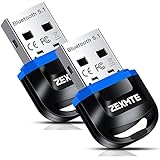
USB 4.0 Bluetooth Adapter for PC Bluetooth Dongle Receiver Wireless Transfer Compatible with Stereo Headphones Desktop Windows 10,8,7,Vista,XP
Bluetooth Headphones,YAMAY M20 Wireless Headphones with Microphone Hands Free Noise Cancelling Wireless Bluetooth Headset for Cell Phones (Lightweight Foldable On Ear Design Multi-point Connect)

ASTRO Gaming A38 Wireless Headset, Gray
Chassis Fan Hub CPU Cooling 10 Port 12 V Molex to PWM Connector with 4 Pin 3 Pin Efficient PC-Fan Controller System with Adhesive Tape Dedicated Supply from PSU to Link Multiple Points
AMD Ryzen 5 1600 65W AM4 Processor with Wraith Stealth Cooler Wraith Spire - No LED (YD1600BBAFBOX)

TP-Link USB Wifi Adapter for PC N150 Wireless Network Adapter for Desktop - Nano Size Wifi Dongle Compatible with Windows 10/7/8/8.1/XP/Vista Mac OS 10.9-10.15 Linux Kernel 2.6.18-4.4.3 (TL-WN725N)
ADATA SU635 240GB 3D-NAND SATA 2.5 Inch Internal SSD (ASU635SS-240GQ-R)

TP-Link USB Bluetooth Adapter for PC 4.0 Bluetooth Dongle Receiver Support Windows 10/8.1/8/7/XP for Desktop, Laptop, Mouse, Keyboard, Printers, Headsets, Speakers, PS4/ Xbox Controllers (UB400)