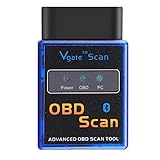
Amtake WiFi OBD2 Scanner OBD Adapter Auto Car Diagnostic Scan Tool Check Engine Light Read and Clear Error Code Reader for iPhone, iPad, Android
Product Description
Amtake WiFi OBD2 Scanner OBD Adapter Auto Car Diagnostic Scan Tool Check Engine Light Read and Clear Error Code Reader for iPhone, iPad, Android
- 【Professional scanning】Our car scanner allows you to read REAL-TIME engine sensor data, including Engine RPM, Calculated Load Value, Coolant Temperature, Fuel System Status, Vehicle Speed, Short Term Fuel Trim, Long Term Fuel Trim, Intake Manifold Pressure, Timing lights, Timing advance, Intake Air Temperature, Air Flow Rate, Absolute Throttle Position, Oxygen sensor voltages/associated short term fuel trims, Fuel System status, Fuel Pressure.
- 【Easy to Operate】Download and install the App on your phone,Plug the car scanner into your car's OBD2 port. Turn on the car and start the engine,Enable WIFI on your phone and connect to WiFi signal named"WiFi_OBDII" , Run the OBD2 App, make some connection settings and wait until it connects your car
- 【Support Cars】Work with all cars which Supported these OBD-II protocols: ISO 9141-2 (5 baud init, 10.4 Kbaud) ISO14230-4 KWP (5 baud init, 10.4 Kbaud) ISO14230-4 KWP (fast init, 10.4 Kbaud) ISO15765-4 CAN (11bit ID, 500 Kbaud) ISO15765-4 CAN (29bit ID, 500 Kbaud) ISO15765-4 CAN (11bit ID, 250 Kbaud) ISO15765-4 CAN (29bit ID, 250 Kbaud)
- 【Diagnose Your Car】The car scanner interface will quickly send data to your android mobile phone or windows laptop from your vehicle in real time. Read diagnostic trouble codes, both generic and manufacturer-specific, and display their meaning (over 3000 generic code definitions in the database).
- 【What You can get】Amtake Wifi OBD2 Car Scanner and user manual. 6-month hassle-free replacement warranty and easy to reach, friendly customer services.
<p><b>Functions you want is here!</b><br> 1.Find problems which in need of repairs.<br> 2.Shorten your service time by telling your mechanic what the code was.<br> 3.Perhaps fix them by yourself for some simple problem.<br></p> <p><b>Easy to Operate:</b><br> 1. Download and install the App on your phone.<br> 2. Plug the car scanner into your car's OBD2 port.<br> 3. Turn on the car and start the engine.<br> 4. Enable WIFI on your phone and connect to WiFi signal named"WiFi_OBDII" <br> 5. Run the OBD2 App, make some connection settings and wait until it connects your car successfully.<br></p><p><b>Third Party APP We Recommend to Use:</b><br> 1. We recommend "DashCommand" and "Torque Lite" for Android, "OBD Car Doctor" for iOS.<br> 2. This scanner will release WiFi signal named"WiFi_OBDII" , enable wifi on your phone or tablet and connect the"WiFi_OBDII".<br> 3. If you have installed "Torque Lite" (free version) or "Torque Pro"( enhanced but paid version) for Android device, please switch connection type of the app to "WiFi" option.<br> 4. If you have installed "OBD Car Doctor" for iOS device, please enable wifi setting of the app.<br> IP-Address: 192.168.0.10<br> Port: 35000<br></p> <p><b>Note:</b><br> <b>It can support all 12 V Gasoline car, can't support diesel car, 24V heavy duty cart, Hybrid or electric vehicles.</b><br>If your car is a 12 V Gasoline car, and it supports OBD-II protocols, you can use the car obd2 scanner.<br>If you are not sure, you can check the front cover of your car and the manual.<br></p>