
Amaz247 ARCBZB Replacement Remote for Roku 4/3/2/1, (HD, LT, XS, XD); DO NOT Support Roku Stick or Roku TV (6-Shortcuts Black)
Product Description
Amaz247 ARCBZB Replacement Remote for Roku 4/3/2/1, (HD, LT, XS, XD); DO NOT Support Roku Stick or Roku TV (6-Shortcuts Black)
- New Metal dome technology, no more sticky or dead button.
- 6 channel shortcut buttons: Amazon, Netflix, Hulu, SlingTV, Pandora, Vudu
- ⚠️️ NO TV power; NO volume control; No headphone jack
- Wrist strap provides extra layer of security; No programing or pairing needed
- ⚠️️ NOT Work w/ Roku Streaming Stick or ROKU TV(TCL, Sharp, Insignia, Hisense etc.)
<b>The Amaz247 Replacement Remote for Roku Player is a Standard IR remote. Although it does not support Headphone, Game or Voice search, it performs flawlessly when you need to change channel, pause or rewind. With the latest most popular channel shortcut buttons, it works just like the original remote if not better! : </b>âš ï¸ï¸NO TV power button; NO volume control button <br><br> <b>This remote is Compatible with:</b><br><br> - Roku 1, Roku 2, Roku 3, Roku 4(LT HD XD XS XDS) <br><br> - Roku Express/Express+, Roku Premiere/Premiere+, Roku Ultra<br><br><b>YES</b>, it works with the <b>Oldest</b> Roku N1100 HD model as well as the <b>Latest</b> Roku Express.<br><br> <b> âš ï¸ï¸IT DOES NOT work with: </b><br><br><b> -⌠Roku Streaming Stick (Model 3500,3500x, 3600,3600x etc.) </b><br><br><b> - ⌠Any Roku TV </b><br><br> It should work with your Roku player right <b>OUT of The PACKAGE, NO PROGRAMMING/PARING NEEDED. âš ï¸ï¸ Please make sure there is no obstacle between the remote and your player blocking the signal transmission. </b><br> If you have difficulty using the remote, try the troubleshooting steps: <br>1) Make sure you use a pair of new AAA batteries and following the correct battery orientations. <br>2) Power cycle the Roku player. Unplug the power connector, wait a minute and then plug back in. During the start up process, the Roku remote should automatically pair to your Roku player. Please give a few attempts before giving up. <br>3) The remote uses Infrared Technology so please make sure there is <b>no obstacle </b>between the remote and your player blocking the signal transmission. <br>4)You can also try reset your ROKU player (reset button can be found on the back of the player). Resetting the player can resolve the most common issues.<br> If the issue still exists, please <b>CONTACT US</b> and we'll have it replaced at <b>NO Additional Cost</b> to you. <br><br> Our mission is to bring you the most valuable product and we strive for 100% customer satisfaction.
Technical Specifications
You might also like

Roku Express Remote Case SIKAI Shockproof Protective Cover for Roku Express/Roku Premiere RC68/RC69/RC108/RC112 Standard IR Remote Skin-Friendly Anti-Lost with Loop (Glow in Dark Blue)
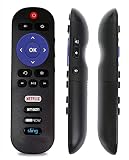
Vinabty New Remote Control fit for TCL ROKU TV Remote LED HDTV RC280 49S405 28S3750 32FS3700 32FS4610R 32S800 32S850 32S3700 32S3850 32S3800 43FP110 55FS4610R 55FS3750 55FS3700 48FS3700 RC282 55P605

New Remote RC280 fit for TCL ROKU TV 40FS3750 55UP120 40FS4610R 65US5800 32S3800 28S3750 32S3700 55UP130 50UP130 43UP130 Compatible with 2014 2015 TCL TV

Roku Express | Easy High Definition (HD) Streaming Media Player

New Remote fit for TCL Roku TV Smart TV RC280 32S3850 32S3700 40FS3850 50FS3800 50FS3850 40FS3800 48FS3700 32S3800 55FS3700 48FS4610R 32S3850A 40FS4610R 55FS4610R with ETFLIX Sling HULU VUDU Keys
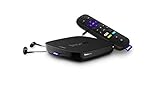
Roku Ultra | HD/4K/HDR Streaming Media Player Voice Remote, Remote Finder & USB. Now includes Premium JBL Headphones. (2018)

RC280 Replacement Remote Applicable for TCL Roku TV with Netflix Sling Hulu Vudu Key 55UP120 32S4610R 50FS3750 32FS3700 32FS4610R 32S800 32S850 32S3850 48FS3700 55FS3700 65S405 43S405 49S405 40S3800
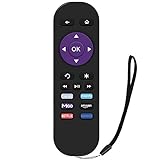
Gvirtue Replacement Lost Remote Control Compatible with Roku 1, Roku 2, Roku 3, Roku 4, (HD, LT, XS, XD), Roku Express, Roku Premiere, Roku Ultra; Do NOT Support Roku Stick, Roku TV or Roku Game
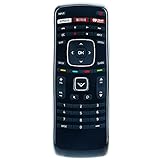
New XRT112 Remote Control fit for Vizio Smart Internet LED TV with Netflix/iHeart Radio APP Keys