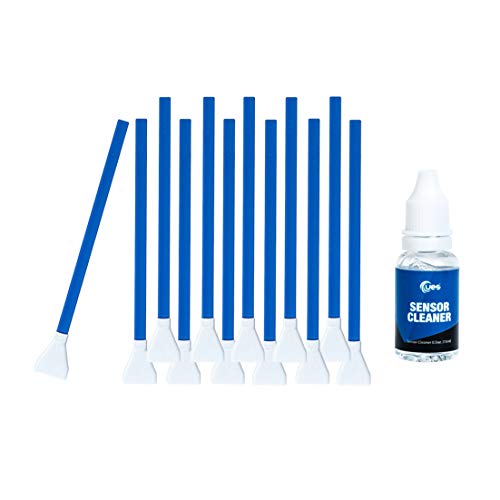
UES DSLR or SLR Digital Camera Cleaning Swab for APS-C Sensors, Blue, 12 swabs + 15ml Cleaner (DDR-16)
Product Description
UES DSLR or SLR Digital Camera Cleaning Swab for APS-C Sensors, Blue, 12 swabs + 15ml Cleaner (DDR-16)
- UES Sensor Cleaner is alcohol-free and ammonia-free. Ideal for cleaning both CCD and CMOS sensors.
- Ultra pure water-based sensor cleaner has non-aggressive formula.
- Super soft swab head is fully covered by ultra fine microfiber - efficient cleaning and no scratch
- Flexible swab rod with a mini channel enables the pressure on the swab head evenly across the sensor
- Every sensor cleaning swab is made in a Class 100 Clean-Room and sealed in a vacuum package
<p><b>UES DDR-16 DSRL or SRL Digital Camera APS-C Frame Sensor Cleaning Kit</b></p> <p><b>Features: </b></p> <p> The patent cleaning swab has an extremely soft head, no damage to your sensor.<br> The head cover is made of super fine microfiber cloth which is soft to your sensor and hard to the dirt.<br> The width of swab is 16mm which is compatible to APS-C Frame sensors. <br> Each swab is packed in a vacuumed package ensure 100% dust free. <br> The powerful cleaning liquids are specially formulated for digital camera sensor cleaning. It is 100% non-toxic and non-alcoholic formula. It dries quickly.<br> The sensor cleaning liquids are stored in its unique designed leak-proof bottle to proof leakage during shipping.<br> </p> <p><b>Package Includes: </b></p> <p> Sensor cleaner 15ml x 1 <br> Sensor Cleaning Swab 16mm X 12</P> <p><b>Instruction for Achieving the Best Cleaning Result: </b></p> <p> Clean your camera at a bright and clean area.<br> Set camera to sensor clean mode (make sure your camera's battery is fully charged, otherwise the function is greyed out). <br> Remove the lens. <br> Use professional air blower to blast the dust from sensor. <br> Remove the UES APS-C frame sensor cleaning swab form its vacuumed package and drip 1-2 drops of Cleaning Liquid on the head of the swab. <br> Gently drag the swab from the left of the sensor to the right. Turn the swap around and drag the clean side from the right of the sensor to the left. <br> Exit clean mode when cleaning finished. Turn off power and install lens. Keep camera in appropriative camera bag. </p>
Technical Specifications
You might also like
Carson Camera Sensor Magnifier - 4.5 x 30mm (SM-44)
—

D-SLR Sensor Cleaning Brush for all DSLR Sensors
—
VSGO DDR24 DSLR or SLR Camera Full-Frame Sensor Cleaning Kit (12 X 24mm Sensor Cleaning Swabs + 15ml Sensor Cleaner)
—

AmazonBasics Cleaning Kit For DSLR Camera And Electronics Accessories
—
UES VSGO Camera Sensor Cleaning Swab Type 3 (VSGO DDR23) for Full-Frame Camera Sensor (CCD/CMOS): Package of 10 X 24mm Cleaning Swabs
—
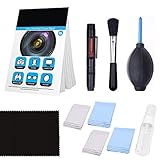
Professional Camera Cleaning Kit for DSLR Cameras- Canon, Nikon, Pentax, Sony - Cleaning Tools and Accessories …
—

Polaroid Super Blower With Hi Perfomance Silicon Squeeze Bulb
—