
ALITOVE WS2811 Controller Smart WiFi APP Voice Control, Support Amazon Alexa Google Home, for DC12V~24V WS2811 SM16703 UCS1903 Addressable RGB LED Strip LED Pixel String Light (Not for 5V WS2812B)
Product Description
ALITOVE WS2811 Controller Smart WiFi APP Voice Control, Support Amazon Alexa Google Home, for DC12V~24V WS2811 SM16703 UCS1903 Addressable RGB LED Strip LED Pixel String Light (Not for 5V WS2812B)
<b>Product Parameter</b><br> Product name: ALITOVE 12V~24V WS2811 Smart Wi-Fi Controller<br> Control method: WIFI (only support 2.4Ghz, not 5Ghz) <br> APP: Magic Home Pro<br> Mobile version: Android 4.4 / iOS 10.0 or later<br> Input voltage: DC12V~24V <br> Supported Driver IC: DC 12V-24V WS2811, DC 12V-24V UCS1903, DC 12V-24V SM16703 <br> Control pixels: 2048 pixels max<br> IP Rating: IP20, not waterproof <br> Application range: indoor<br> Working Temperature -20~55°C <br> Product certification: CE, ROHS<br> No hub needed. <br> 24 Months Warranty<br> Please read the user manual carefully to ensure a right operation<br> <br><b>Product Features </b><br> 1.Smart Wifi APP control<br> 2.Work with Amazon Alexa and Google Home, Voice control<br> 3.16 million colors <br> 4.Brightness adjustable<br> 5.300 dynamic color modes<br> 6.DIY color effects<br> 7.Individual control & Group control<br> 8.Remote Control & Share control<br> 9.Timer/Schedule Function<br> 10.Music Sync Function<br> 11.Sound Activated Function<br> 12.Color Picker Function<br> <br><b> Operation Steps</b><br> 1. Connect the LED strip, power supply and controller. <br> 2. Search "Magic Home Pro" app or scanning the QR code on the operating instructions to download and install the App. IOS 10.0 or Android 4.4 or later edition required. Your smart device should support wifi. <br> 3. Connect the controller to "Magic Home Pro" app. <br> 4. Open app and press the controller name until the setting page appears. Then set the number of pixels, IC type and RGB order according to your LEDC light. <br> 5. Enter controlling page to control your lights. <br> <br><b> Package included </b><br> 1x ALITOVE 12V~24V WS2811 Smart Wi-Fi Controller <br>
Technical Specifications
You might also like

ALITOVE WS2812B Controller Smart WiFi APP Control, Support Amazon Alexa Google Home, for DC5V 3 pin WS2812 SK6812 Addressable RGB Dream Color LED Pixel Strip Light (Not for 12V WS2811)

ALITOVE RGB Addressable LED Strip WS2811 12V LED Strip Lights 16.4ft 300 LEDs Dream Color Programmable Digital Flexible LED Pixel Rope Light Waterproof IP65 with 3M VHB Heavy Duty Self-Adhesive Back

ALITOVE AC 100-240V to DC 24V 5A Power Supply Adapter Converter with 5.5x2.1mm DC Output Jack for 5050 3528 LED Strip Module Light

ALITOVE WS2811 Addressable RGB LED Strip 12V Programmable LED Pixel Strip Lights 16.4ft 300 LEDs Dream Color Digital LED Flexible Rope Light Waterproof IP65 with 3M VHB Heavy Duty Self-Adhesive Back

Alling 500pcs 12V WS2811 LED Pixel String Lights Black 12mm Bullet Pixel Nodes Diffused Digital RGB Addressable Dream Color Round LED Pixels Module 100ct with 13.5mm Waterproof(100ct Black wire500pcs)

AWSOM 3Pin LED Strip Wire Kit 22AWG,10mm RGB LED Strip Connectors 3 Pin,3 Pin JST SM Male to Female Plug for WS2811,2812B Led Strip Lights

18AWG Low Voltage LED Cable 3 Conductor Jacketed In-Wall Speaker Wire UL/cUL Class 2 (100 ft reel)
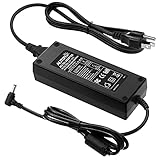
ALITOVE AC 100-240V to DC 12V 10A Power Supply Adapter Converter Transformer 12 Volt 10 Amp 120W with 5.5x2.1mm DC Output Jack for 5050 3528 LED Strip Light CCTV Cameras 3D Printer

ALITOVE Wireless Bluetooth Magic Dream Color LED Light Controller iOS Android DC5V~24V Great for WS2811 WS2812B WS2801 SK6812 Individually Addressable Programmable LED Strip Pixel Module Panel Lamp

Aclorol WS2811 Addressable LED Strip 5050 RGB 5m 300LEDs Flexible Rope Light Dream Color Non-Waterproof Black PCBDC 12V