
ACETECH Airsoft Chronograph AC5000 BBS Shooting Measurement Speed Tester Chrono for Gamers
Product Description
ACETECH Airsoft Chronograph AC5000 BBS Shooting Measurement Speed Tester Chrono for Gamers
- User-friendly interface with 128*64 pixel LCD
- Easier to control: Equipped with 4-way push button
- More durable: IR sensor self-calibration as well as IR sensor calibration in production
- Friendly UI: Enables user directly select and change ammo parameters in main screen
- Not working with Nerf
<b>Acetech is founded by former Xcortech team members to build better airsoft related electronics</b> <br><br> Support Micro-USB (5V/0.5A) power input (no battery charge function) or Use AA alkaline battery*2<br> Measures Muzzle Velocity from 30 m/s ~ 400 m/s (90 ft/s ~ 1200 ft/s)<br> Ammo parameter setting supports 5 memory slots<br> Ammo parameter setting from Weight: 0.01g ~ 9.99g Caliber 4.5mm ~ 18mm 25 memory slots for velocity and ROF (Rate of fire)<br> Idling and low battery auto power off function.<br> FCC, CE, RoHS compliant<br> Tripod Ready mounting hole (Screw for standard camera / camcorder tripods )<br> Support Micro-USB(5V/0.5A) power input(no battery charge function)<br> ROF range: 100~5000RPM<br> Extra large caliber (diameter 24mm)<br> Weight: 200g without battery<br> Size : L x W x H = 117 x 97 x 59 (mm)<br> <br> <br> <b>Q&A</b> <br><br> <b>Q1:Why my AC5000 is inaccurate?</b><br> A1: Factors do affect speed testing<br> Battery: 1. low voltage, 2. Please use alkaline battery instead of carbon zinc battery<br> CO2 smoke: In case of too much smoke causing the inaccuracy, please stay your muzzle 10cm away from the shooting hole of chrono when use CO2 airsoft gun shooting<br> Over measures range: AC5000 measures muzzle velocity from 30 m/s ~ 400 m/s (90 ft/s ~ 1200 ft/s)<br><br> <b>Q2: Why my screen shows ADC Error 2?</b><br> A2: Please insert USB power, then long press power botton for 5 seconds to turn on AC5000.<br> Please follow the instruction shows on LCD.<br> The condition of "ADC Error 2" would be solved.<br><br> <b>Q3: Why my AC5000 can't show ROF (Rate of fire)? </b><br> A3: Shooting over 10 shots continuously is required, when you do the ROF test.<br>
Technical Specifications
You might also like

Elite Force Airsoft Guns and Gear Airsoft Kill Rag, Tan

Elite Force Premium Biodegradable 6mm Airsoft BBS Ammo.32 Gram (Milsim Max), 2700 Count

ACETECH Airsoft Gun Glow in Dark Tracer BBS Green (Green 0.25g 2700CT)

Elite Force Premium 6mm Airsoft BBs Ammo, .25 Gram, 5000 Count
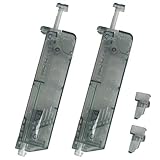
MetalTac Airsoft Speed Loader 100 Round Fast Load 6mm BB Pellet - Two Pack

OneTigris 6" Foldable Half Face Airsoft Mesh Mask with Ear Protection, Military Tactical Lower Face Protective Mask (Multicam)

Evike EMG International Match Grade 6mm Airsoft BBS - Biodegradable 5000 Rounds (Weight: .30g)
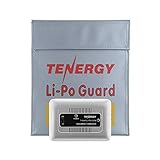
Tenergy TN267 1-4 Cells Li-Po/Li-Fe Balance Charger for Airsoft & RC Car Battery Packs with 1S to 4S XH Type Balance Connector
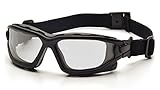
Pyramex I-Force Sporty Dual Pane Anti-Fog Goggle, Black Frame/Clear Anti-Fog Lens