![AACL 3-Pack for Samsung Galaxy S25 Ultra Privacy Screen Protector Tempered Glass, Privacy Screen Protector for S25 Ultra [Fast Alignment Tool] [Bubble Free] [ Anti Spy]](https://m.media-amazon.com/images/I/41IR3hW673L._SL500_.jpg)
AACL 3-Pack for Samsung Galaxy S25 Ultra Privacy Screen Protector Tempered Glass, Privacy Screen Protector for S25 Ultra [Fast Alignment Tool] [Bubble Free] [ Anti Spy]

Product Description
AACL 3-Pack for Samsung Galaxy S25 Ultra Privacy Screen Protector Tempered Glass, Privacy Screen Protector for S25 Ultra [Fast Alignment Tool] [Bubble Free] [ Anti Spy]
- Compatible with S25 Ultra: AACL privacy screen protector is designed for Samsung galaxy s25 ultra with a 6.9 inch screen only (2025 Released). Please make sure your phone model is galaxy s25 ultra before purchasing
- Advanced 25° Privacy Protection: Keep your data secure with AACL’s s25 ultra privacy screen protector, featuring cutting-edge microlouver technology for a narrow 25° viewing angle. Only you can see your screen—side onlookers see a dark, blank display. Perfect for protecting sensitive info on your samsung galaxy s25 ultra privacy screen protector in public spaces.
- Easy Installation in Seconds: Innovative automatic alignment with the pre-installed glass screen protector, you can enjoy a perfect bubble-free application. Simply place it on your phone, pull out the sticker, and press. With a success rate as high as 99.99%. Also the extra 2 pcs privacy screen protector for s25 ultra are provided for replacement
- 9H Tempered Glass : The galaxy s25 ultra privacy screen protector is made of superior tempered glass with 9H hardness for durability, and provides protection from scratches and scrapes. The ultra-tough 9H hardness protects like a second skin while maintaining crystal-clear clarity, smooth touch
- Case-Friendly Design: Unlike bulky full-coverage protectors, our s25 ultra privacy screen protector DOESN'T cover the entire screen. It features a precise non-wrap edge, ensuring seamless fit with most phone cases. No lifting, no interference—just perfect protection
- Kindly Tips : Watch our step-by-step installation video on the detail page before applying, it shows exactly how to avoid common fingerprint sensor problems and ensure a perfect install. Fingerprint unlock tips: 1, Delete all your fingerprint. 2, Turn on "Touch sensitivity", Settings--Display--Touch sensitivity. 3, In the bottom find and click “Always On Display”--activate “On”--“When to show”--“Always” 4, Register your fingerprint twice (after screen protector applied). 5. Please make certain to fully press your finger on the fingerprint icon until the fingerprint is unlocked successfully.
Technical Specifications
You might also like

ARTIPOLY Premium Shammy Towel for Car Drying 2pk (26”x17”)-Super Absorbent Chamois Towel-Reusable shamies Towels for Cars, Bathroom,Pets, Dust Remove, No Spots/Streak/Scratch, Large, Blue

Luxilon 4G 130 Tennis String - Set, Gold

L'ANZA Healing Moisture Shampoo, Hydrates & Heals Damaged Hair, Deep Hydration, Softens, Anti-Frizz, Restores Elasticity, Color Safe Anti-Humidity Daily Wash, Strengthening, Sulfate Free (33.8 Fl Oz)

Renaissance Collection Joseph's Studio by Roman Exclusive Saint Francis with Animals Figurine, 9.75-Inch

Shinko SR777 HD Black Wall Bias Rear Tire - 150/80B16 77H
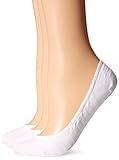
K. Bell Women's 3 Pack Fashion No Show Liner Socks, White, 9 to11

#10-24 x 1/2" Coarse Thread Thumb Screw Type A with Shoulder Low Carbon Steel Zinc Plated Pk 1750

Return to Silent Hill: The Official Movie Novelization